Chart position — tracked daily by LaunchShots
Screenshot changes — detected by LaunchShots
Screenshot style breakdown
Sampled from 6 of Dzeny: ИИ Ментальное здоровье's App Store screenshots — background, accent and theme, measured by LaunchShots (not something Apple publishes).
#4C545C bg
#656B72
#BC8464 accent
#FFFFFF text
Screenshots
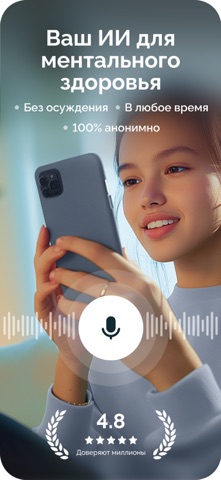


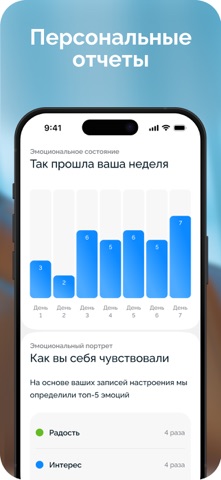
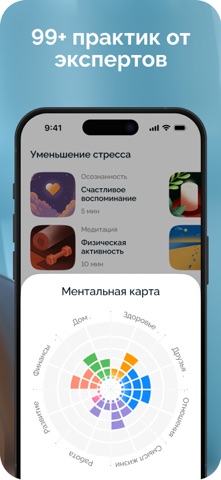


iPad screenshots


Icon palette
About this app
Dzeny — безопасный и персонализированный AI для ментальной поддержки, доступный в любое время и в любом месте. Dzeny предлагает голосовое и текстовое общение, а также практики, подобранные под ваши цели, мысли и эмоции. Приложение помогает улучшить настроение и справиться со стрессом и другими эмоциональными трудностями в повседневной жизни. Ключевые функции: • ДОСТУПНО 24/7: Общайтесь с Dzeny в чате или по голосовой связи без ограничений, когда вам это нужно. • ПЕРСОНАЛЬНЫЙ ПЛАН: Получайте задания и практики, адаптированные под ваше настроение и цели. • ОТСЛЕЖИВАНИЕ НАСТРОЕНИЯ И ПРОГРЕССА: Следите за своим эмоциональным самочувствием и достигайте личных целей. • 99+ ПРАКТИК: Изучайте ментальные, творческие и телесные упражнения для спокойствия, расслабления и гармонии. • ПОЛНАЯ АНОНИМНОСТЬ: Все данные защищены, сессии полностью конфиденциальны, доступ в приложение ограничен PIN-кодом.…
App details
What you can learn from Dzeny: ИИ Ментальное здоровье
Every shipping app on the App Store has gone through the same decisions you're working through right now: which screenshot goes first, what caption sits over it, which device frame to show, what color the background should be. The 13 screenshots above are Dzeny: ИИ Ментальное здоровье's answers to those questions — they're public, they're real, and they made it through Apple's review.
What the numbers say: Dzeny: ИИ Ментальное здоровье runs a mixed light-and-dark set where the background shifts from screenshot to screenshot (first shot #4C545C) — each image has to stand on its own, so the captions carry more of the story. The accent colour we picked up, #BC8464, is the one to reuse for badges, arrows and highlighted words if you borrow this look. Hit Use this style to open the editor with these exact colours and drop your own screenshot in.
Notice the first screenshot in particular. It's the one users see in search results and on the product page, and it's where most apps spend their best caption and tightest design. Look at the proportion of background to phone, where the text sits, what one thing the image is trying to communicate.
Want to see how other Health & Fitness apps approach the same problem? Browse more Health & Fitness apps in the showcase.
Take what works into your own screenshots
Open LaunchShots and design your App Store & Google Play screenshots — pick a device frame, drop captions, ship in minutes. Free, in your browser.
Open the screenshot editor →Apps with a similar look
Closest background + accent colours among the listings we've analysed — useful when you want to see the same palette handled by a different team.