Chart position — tracked daily by LaunchShots
Screenshot style breakdown
Sampled from 6 of Synic - 离线音乐播放器's App Store screenshots — background, accent and theme, measured by LaunchShots (not something Apple publishes).
#FCFCFC bg
#DDDDDD
#1C045C accent
#111111 text
Screenshots
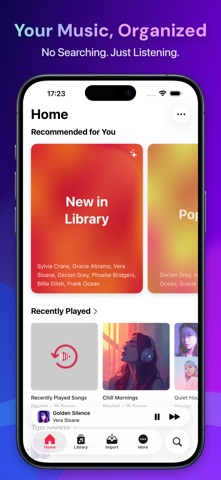
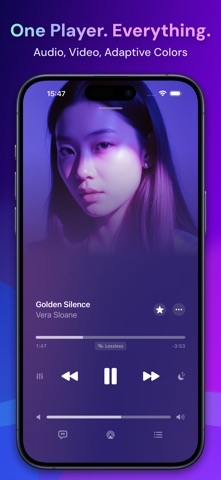

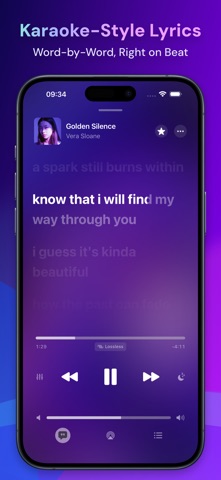
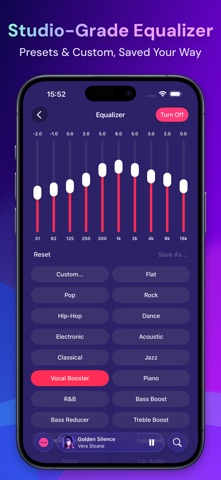
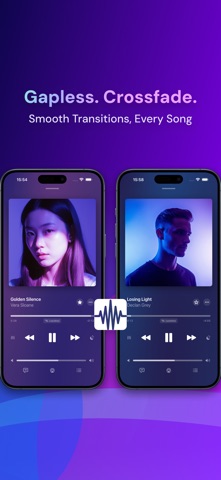

iPad screenshots


Icon palette
About this app
SYNIC – 您的离线媒体播放器 完全掌控您的音乐和视频收藏。Synic 让您离线畅享一切,无需网络,无广告,也无需注册账户。 非常适合音乐收藏者、发烧友以及重视隐私与简洁体验的用户。 为何选择 Synic,而不是流媒体服务? • 不必每月为不属于你的音乐付费 • 再也不会有歌曲从你的库中消失 • 没有网络? 不成问题。任何地方都能播放 • 不受算法推荐的控制,您自己决定听什么 • 无跟踪,无数据收集 Synic 与众不同。导入一次,永久离线享受。 完全离线 • 随时播放音乐和视频,无需网络 • 无缓冲,无流式传输,无流量消耗 • 在飞机、火车或偏远地区也能完美使用 轻松从任意来源导入 • 支持从 Google Drive, Dropbox, OneDrive, Box 导入 • 支持 Apple 文件 应用及 Wi‑Fi 传输 • 支持公开文件的 URL 直接导入 • 一次导入,即可永久离线访问 音频卓越体验 • 支持所有主流格式:MP3, FLAC, WAV, M4A, ALAC, AAC, OGG • 支持高解析音频播放,最高 192 kHz / 24‑bit • 内置专业 10 波段均衡器,并提供多种预设 • 平滑的 Crossfade …
App details
What you can learn from Synic - 离线音乐播放器
Every shipping app on the App Store has gone through the same decisions you're working through right now: which screenshot goes first, what caption sits over it, which device frame to show, what color the background should be. The 14 screenshots above are Synic - 离线音乐播放器's answers to those questions — they're public, they're real, and they made it through Apple's review.
What the numbers say: Synic - 离线音乐播放器 runs a mixed light-and-dark set where the background shifts from screenshot to screenshot (first shot #FCFCFC) — each image has to stand on its own, so the captions carry more of the story. The accent colour we picked up, #1C045C, is the one to reuse for badges, arrows and highlighted words if you borrow this look. Hit Use this style to open the editor with these exact colours and drop your own screenshot in.
Notice the first screenshot in particular. It's the one users see in search results and on the product page, and it's where most apps spend their best caption and tightest design. Look at the proportion of background to phone, where the text sits, what one thing the image is trying to communicate.
Want to see how other Music apps approach the same problem? Browse more Music apps in the showcase.
Take what works into your own screenshots
Open LaunchShots and design your App Store & Google Play screenshots — pick a device frame, drop captions, ship in minutes. Free, in your browser.
Open the screenshot editor →Apps with a similar look
Closest background + accent colours among the listings we've analysed — useful when you want to see the same palette handled by a different team.