Screenshots

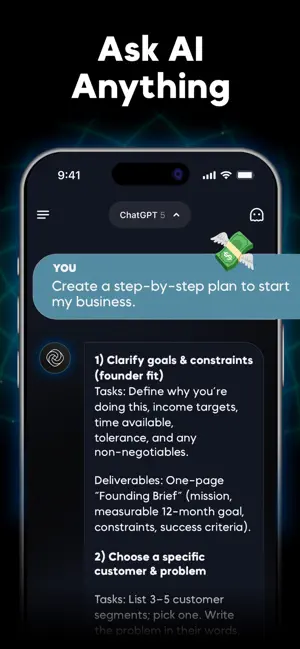


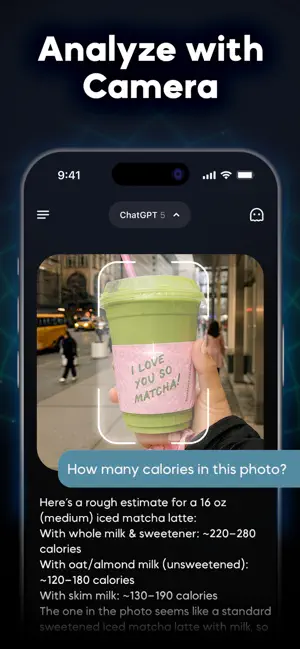
Icon palette
About this app
ChatPrime gives you access to today’s most advanced AI technologies in one app. Whether you’re chatting, coding, learning, or creating images, ChatPrime connects you with multiple cutting-edge AI engines for smarter conversations and stunning visual results. Highlights of ChatPrime ► Advanced text generation for creative writing and reasoning ► Multilingual fluency with natural and culturally aware conversations ► Real-time insights and up-to-date knowledge ► Safe, responsible, and thoughtful responses ► Powerful coding and debugging support ► State-of-the-art text-to-image and image-to-image creativity Use Cases – What You Can Do with ChatPrime ⊕ Learning & Study Help: Summaries, explanations, and practice questions ⊕ Programming Support: Debug code, generate snippets, or learn new languages ⊕ Writing Made Easy: Draft emails, essays, stories, or social posts ⊕ Global Communication: T…
App details
What you can learn from Chatbot AI Assistant ChatPrime
Every shipping app on the App Store has gone through the same decisions you're working through right now: which screenshot goes first, what caption sits over it, which device frame to show, what color the background should be. The 6 screenshots above are Chatbot AI Assistant ChatPrime's answers to those questions — they're public, they're real, and they made it through Apple's review.
Notice the first screenshot in particular. It's the one users see in search results and on the product page, and it's where most apps spend their best caption and tightest design. Look at the proportion of background to phone, where the text sits, what one thing the image is trying to communicate.
Want to see how other Productivity apps approach the same problem? Browse more Productivity apps in the showcase.
Take what works into your own screenshots
Open LaunchShots and design your App Store & Google Play screenshots — pick a device frame, drop captions, ship in minutes. Free, in your browser.
Open the screenshot editor →