Screenshots


Icon palette
About this app
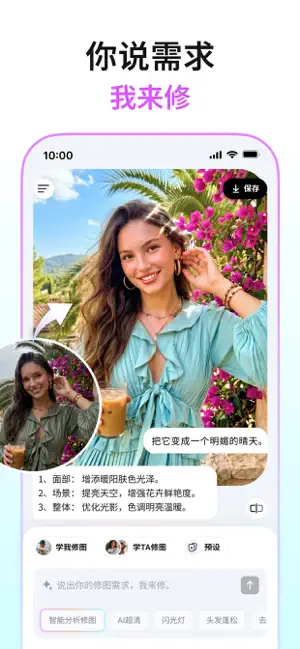
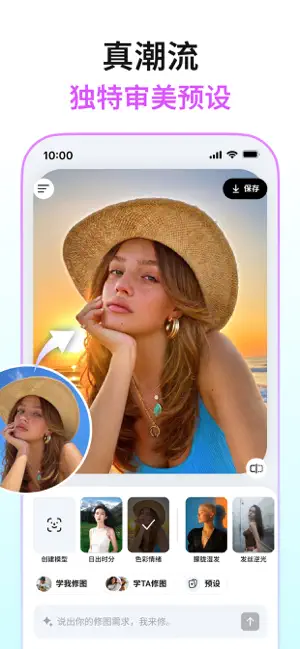
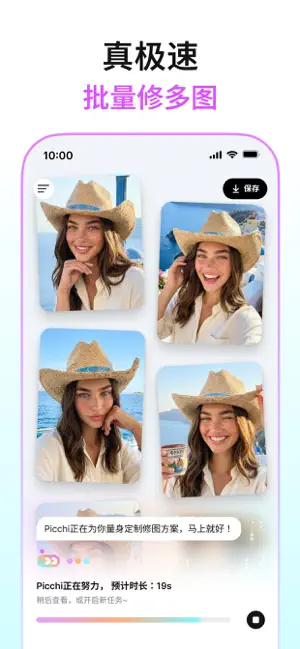
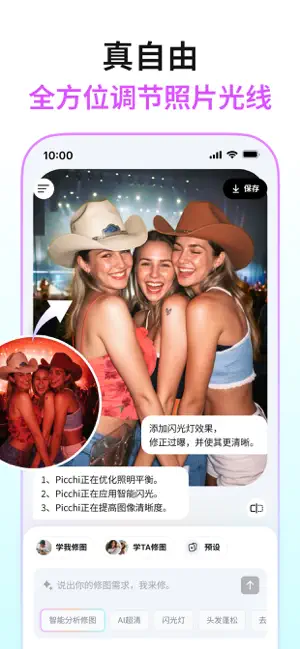
Picchi - 你的氛围感修图师 嗨,你发现我了!我是Picchi,一个专注人像批量精修的AI Agent。 只要和我对话,我就可以按照你的标准秒速修出好照片。 我擅长很多修图技能,既是你的专属修图师,又是你的专业打光师、也可以是你的出片好搭子。想拥有一个有灵性、出片快的AI修图仆人?选Picchi就对啦! -姓名-:Picchi -身份-:氛围感修图师 -技能-: ●学我修图:学习你的修图偏好,自动帮修,省心高效,简直超懂你! ●学Ta修图:一键复刻博主大佬的修图神技,妆容骨相、光影氛围全拿捏,废片秒变质感大片,审美直接“借”到手。 ●擅长人像美化:质感人像优化,实现AI美颜、提升肤质与五官立体感; ●照片极速批量处理:单图修好,批量同步;多图同时修,效率UP; ●8K高清画质:满足相机高质量超清大图输出; ●潮流大师预设:大师打造的超绝效果,潮流; ●风格化智能调色:质感增强,多风格滤镜,打造相机专业大片视觉效果; ●轻松拯救废片:夜景AI降噪、过曝欠曝光线修复、调整肤色偏色; ●灵活局部改图:AI换装、局部换字、AI扩图、换天空。 悄悄说:Picchi 还在升级中…
App details
What you can learn from Picchi
Every shipping app on the App Store has gone through the same decisions you're working through right now: which screenshot goes first, what caption sits over it, which device frame to show, what color the background should be. The 6 screenshots above are Picchi's answers to those questions — they're public, they're real, and they made it through Apple's review.
Notice the first screenshot in particular. It's the one users see in search results and on the product page, and it's where most apps spend their best caption and tightest design. Look at the proportion of background to phone, where the text sits, what one thing the image is trying to communicate.
Want to see how other Photo & Video apps approach the same problem? Browse more Photo & Video apps in the showcase.
Take what works into your own screenshots
Open LaunchShots and design your App Store & Google Play screenshots — pick a device frame, drop captions, ship in minutes. Free, in your browser.
Open the screenshot editor →