Chart position — tracked daily by LaunchShots
Screenshot style breakdown
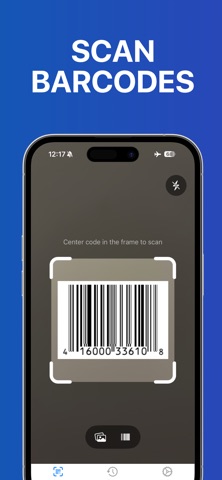
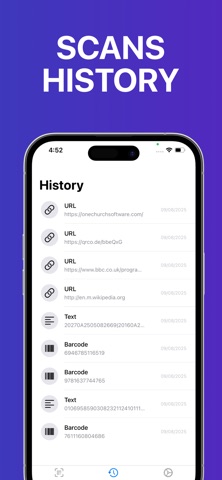
Sampled from 5 of QRコード & バーコード スキャナー +'s App Store screenshots — background, accent and theme, measured by LaunchShots (not something Apple publishes).
#0464B4 bg
#2779BE
#7CACD4 accent
#FFFFFF text
Screenshots



Icon palette
About this app
QRコード & バーコード スキャナー + をご紹介します。あらゆるQRコードやバーコードに隠された情報を、最もシンプルかつ高速に読み取れるアプリです。 あなたのPhoneを、どこでもいつでも使えるスマートで信頼できるスキャナーに変えましょう。 • インスタントスキャン カメラを向けるだけで即スキャン! QRコードやバーコードをすばやく読み取り、商品情報、ウェブサイト、プロモーションなどを数秒で確認できます。 • スマート商品検索 QRコードやバーコードを簡単にスキャンして商品情報をチェック、そのままオンライン検索。価格を比較し、レビューを読み、詳細を確認して、より賢い購買判断をその場で行えます。入力不要、手間なし ― スキャンするだけ。 • スキャン履歴を指先で スキャンした情報を見失うことはありません。履歴にいつでもアクセスでき、重要なリンクや商品、イベント情報を簡単に再確認できます。 • 幅広いフォーマット対応 QRコードから各種バーコードまで、主要なフォーマットをすべてサポート。ひとつのスキャナーで無限の可能性を。 …
App details
What you can learn from QRコード & バーコード スキャナー +
Every shipping app on the App Store has gone through the same decisions you're working through right now: which screenshot goes first, what caption sits over it, which device frame to show, what color the background should be. The 5 screenshots above are QRコード & バーコード スキャナー +'s answers to those questions — they're public, they're real, and they made it through Apple's review.
What the numbers say: QRコード & バーコード スキャナー + runs a dark set where the background shifts from screenshot to screenshot (first shot #0464B4) — each image has to stand on its own, so the captions carry more of the story. The accent colour we picked up, #7CACD4, is the one to reuse for badges, arrows and highlighted words if you borrow this look. Hit Use this style to open the editor with these exact colours and drop your own screenshot in.
Notice the first screenshot in particular. It's the one users see in search results and on the product page, and it's where most apps spend their best caption and tightest design. Look at the proportion of background to phone, where the text sits, what one thing the image is trying to communicate.
Want to see how other Utilities apps approach the same problem? Browse more Utilities apps in the showcase.
Take what works into your own screenshots
Open LaunchShots and design your App Store & Google Play screenshots — pick a device frame, drop captions, ship in minutes. Free, in your browser.
Open the screenshot editor →Apps with a similar look
Closest background + accent colours among the listings we've analysed — useful when you want to see the same palette handled by a different team.