Screenshot style breakdown
Sampled from 3 of 倒水我最强-碰碰杯's App Store screenshots — background, accent and theme, measured by LaunchShots (not something Apple publishes).
#EC7C64 bg
#CF6D58
#FCCC04 accent
#111111 text
Screenshots


Icon palette
About this app
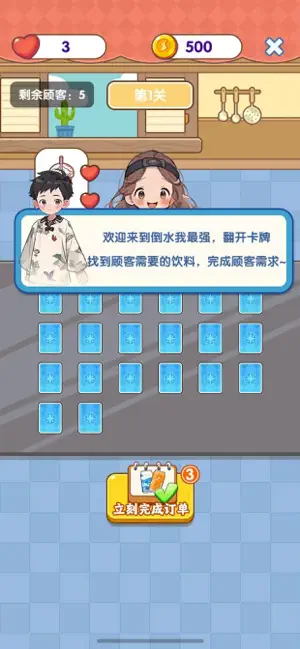
我们开发的是一款专为休闲玩家打造的趣味益智游戏,核心特点可概括为:零门槛易上手,无需复杂操作,新手也能快速掌握;玩法趣味多元,以饮料匹配为核心,融合闯关、收集、经营元素;体验轻松解压,适配碎片时间,搭配清新画风与轻快音效,为玩家提供放松场景;体系完善耐玩,海量关卡、丰富道具与积分兑换系统结合,满足玩家长期游玩需求。 游戏内容 核心玩法:沉浸式饮料匹配体验 玩家将扮演饮品店经营者,客人进店后会明确提出指定饮料需求(如冰美式、珍珠奶茶、橙汁等),玩家需在规定时间内,从游戏界面展示的饮料选项中,精准找出与客人需求对应的饮品并完成匹配,成功匹配即可服务客人、推进关卡,失误则会消耗生命值,整体玩法聚焦 “观察 - 判断 - 匹配”,节奏轻快且富有成就感。
App details
What you can learn from 倒水我最强-碰碰杯
Every shipping app on the App Store has gone through the same decisions you're working through right now: which screenshot goes first, what caption sits over it, which device frame to show, what color the background should be. The 3 screenshots above are 倒水我最强-碰碰杯's answers to those questions — they're public, they're real, and they made it through Apple's review.
What the numbers say: 倒水我最强-碰碰杯 runs a light set where the background shifts from screenshot to screenshot (first shot #EC7C64) — each image has to stand on its own, so the captions carry more of the story. The accent colour we picked up, #FCCC04, is the one to reuse for badges, arrows and highlighted words if you borrow this look. Hit Use this style to open the editor with these exact colours and drop your own screenshot in.
Notice the first screenshot in particular. It's the one users see in search results and on the product page, and it's where most apps spend their best caption and tightest design. Look at the proportion of background to phone, where the text sits, what one thing the image is trying to communicate.
Want to see how other Games apps approach the same problem? Browse more Games apps in the showcase.
Take what works into your own screenshots
Open LaunchShots and design your App Store & Google Play screenshots — pick a device frame, drop captions, ship in minutes. Free, in your browser.
Open the screenshot editor →Apps with a similar look
Closest background + accent colours among the listings we've analysed — useful when you want to see the same palette handled by a different team.