Chart position — tracked daily by LaunchShots
Screenshot changes — detected by LaunchShots
Screenshot style breakdown
Sampled from 6 of AI背书匠-高效背书神器's App Store screenshots — background, accent and theme, measured by LaunchShots (not something Apple publishes).
#FCF49C bg
#DDD689
#047C8C accent
#111111 text
Screenshots




iPad screenshots





Icon palette
About this app
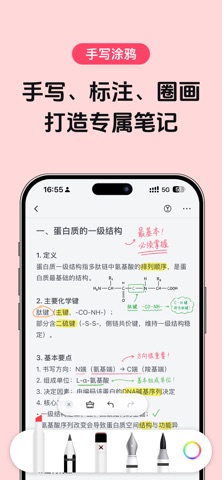
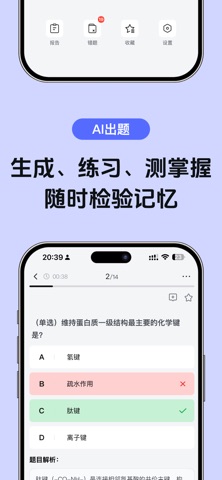
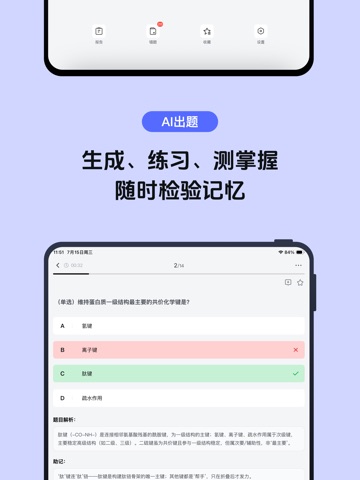
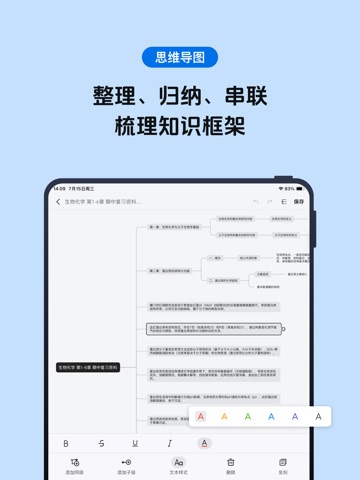
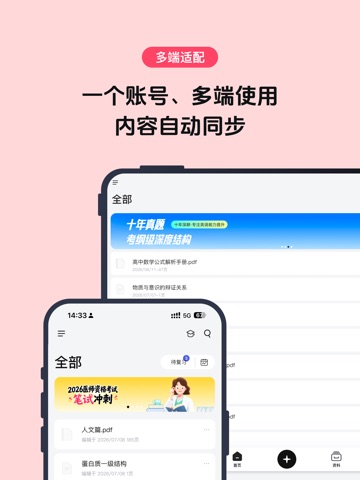
什么是AI背书匠→ AI背书匠是你的AI背书助手,能帮助你形成框架思维,多维度背诵,无论考研、考编、考证、语言学习、职场提升还是终生学习者,都可以用AI背书匠来提高记忆效率。 特色功能亮点→ 【1】强大AI功能: AI切割:按逻辑段落、关键词密度划分内容,分割知识块,形成知识框架 AI总结:为每个知识块生成标题,点击可隐藏/显示正文背诵 AI关键词挖空:AI自动挖空核心词,点击即可隐藏/显示挖空内容背诵 AI监督背诵:记录卡顿、错误、缺失点,生成薄弱知识总结 AI智能出题:根据内容生成题目、错题记录 【2】多感官记忆: 包含朗读文本、耳返背书等功能,视觉、听觉双感官加强记忆 【3】记忆流程闭环: 3大背诵模式:挖空重点、朗读文本、耳返背书 2重检验体系:AI督背、AI出题 完整学习路径:实现导入→背诵→巩固→牢记的闭环 为什么选择AI背书匠→ 【1】全场景适用:碎片化学习|系统备考|长期知识管理 【2】效率提升upup:AI赋能,告别传统低效背诵 【3】智能督背系统:实时记录背诵卡顿点,生成个性化薄弱报告 注意: 确认购买后,款项将从您的iTunes账户…
App details
What you can learn from AI背书匠-高效背书神器
Every shipping app on the App Store has gone through the same decisions you're working through right now: which screenshot goes first, what caption sits over it, which device frame to show, what color the background should be. The 18 screenshots above are AI背书匠-高效背书神器's answers to those questions — they're public, they're real, and they made it through Apple's review.
What the numbers say: AI背书匠-高效背书神器 runs a light set where the background shifts from screenshot to screenshot (first shot #FCF49C) — each image has to stand on its own, so the captions carry more of the story. The accent colour we picked up, #047C8C, is the one to reuse for badges, arrows and highlighted words if you borrow this look. Hit Use this style to open the editor with these exact colours and drop your own screenshot in.
Notice the first screenshot in particular. It's the one users see in search results and on the product page, and it's where most apps spend their best caption and tightest design. Look at the proportion of background to phone, where the text sits, what one thing the image is trying to communicate.
Want to see how other Productivity apps approach the same problem? Browse more Productivity apps in the showcase.
Take what works into your own screenshots
Open LaunchShots and design your App Store & Google Play screenshots — pick a device frame, drop captions, ship in minutes. Free, in your browser.
Open the screenshot editor →Apps with a similar look
Closest background + accent colours among the listings we've analysed — useful when you want to see the same palette handled by a different team.