Screenshot style breakdown
Sampled from 6 of Taziki's's App Store screenshots — background, accent and theme, measured by LaunchShots (not something Apple publishes).
#ECECE4 bg
#CFCFC8
#84CCFC accent
#111111 text
- #1GO FRESH WITH TAZIKPS
- #4MADE JUST FOR YOU
- #5Picked up Pickup location Saturday 4 January 95 Boerum PI, Go to Rewards to see your progr
- #6Good afternoon ALFRED @ View active order >
Captions read from the screenshots (OCR, may contain small errors): 4 headlines, 8.3 words on average (longest 17), mostly ALL CAPS, 50% speak to "you".
Screenshots

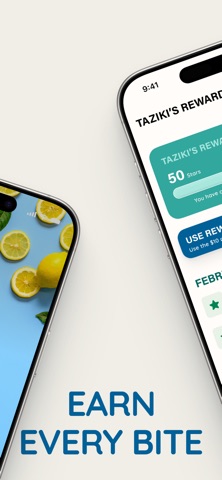

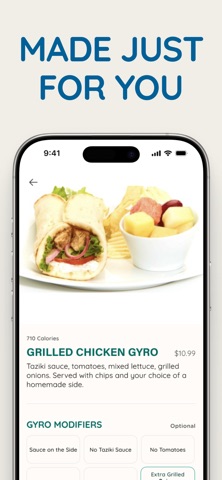


Icon palette
About this app
Mediterranean, Made to Order. Made for You. Your Taziki’s favorites are always just a tap away. Pickup and delivery, rewards tracking, easy menu guidance for your dietary needs, and quick reordering are all built right in to make every order easier. Earn Stars on every purchase, customize your favorites, and reorder go-tos in seconds. From mouth-watering gyros to handcrafted salads to bountiful Family Feasts, our delicious meals are always served with Southern hospitality to make every meal memorable. With the Taziki’s app, you can: • Order ahead for pickup or delivery • Track and redeem Taziki’s Rewards Stars • Find meals that fit your dietary needs • Reorder recent favorites in seconds • Customize meals exactly how you like them • Save preferred locations and payment methods • Order Family Feasts and access catering with ease
App details
What you can learn from Taziki's
Every shipping app on the App Store has gone through the same decisions you're working through right now: which screenshot goes first, what caption sits over it, which device frame to show, what color the background should be. The 6 screenshots above are Taziki's's answers to those questions — they're public, they're real, and they made it through Apple's review.
What the numbers say: Taziki's runs a light set with one background colour (#ECECE4) carried across every screenshot — the listing reads as a single poster when the shots sit side by side in search results. The accent colour we picked up, #84CCFC, is the one to reuse for badges, arrows and highlighted words if you borrow this look. Hit Use this style to open the editor with these exact colours and drop your own screenshot in.
Notice the first screenshot in particular. It's the one users see in search results and on the product page, and it's where most apps spend their best caption and tightest design. Look at the proportion of background to phone, where the text sits, what one thing the image is trying to communicate.
Want to see how other Food & Drink apps approach the same problem? Browse more Food & Drink apps in the showcase.
Take what works into your own screenshots
Open LaunchShots and design your App Store & Google Play screenshots — pick a device frame, drop captions, ship in minutes. Free, in your browser.
Open the screenshot editor →Apps with a similar look
Closest background + accent colours among the listings we've analysed — useful when you want to see the same palette handled by a different team.