Chart position — tracked daily by LaunchShots
Screenshot style breakdown
Sampled from 6 of 双摄相机 - 视频同步双拍's App Store screenshots — background, accent and theme, measured by LaunchShots (not something Apple publishes).
#040404 bg
#272727
#5C9CD4 accent
#FFFFFF text
Reading the caption text from the screenshots in your browser…
Screenshots




iPad screenshots


Icon palette
About this app
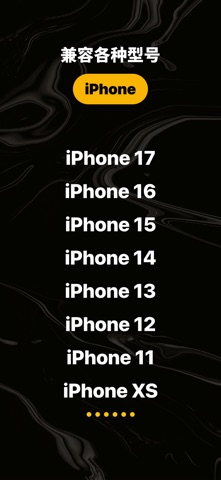
捕捉生活的双面精彩! 这是一款全新的创意视频工具,让你可以同时使用前置与后置摄像头,轻松记录下当下的全景与心情。 在演唱会上,你可以一边拍下舞台上的震撼场景,一边记录自己兴奋的表情;在旅行途中,你既能展示绝美风景,又能分享当下的心情。这就是它的魅力——让视频更真实、更有故事感。 主要功能 - 双镜头录制:前置与后置摄像头同时开启,轻松展现故事的两个角度 - 视频防抖:深度优化的防抖技术,让画面更加稳定流畅 - 音乐添加:为视频搭配你喜欢的音乐,提升表现力 - 拍摄样式:支持在超过10布局中自由选择前后摄像视频的展示方式,让创作更具个性。 - 视频边框:可自定义每个视频的边框颜色,打造专属视觉风格。 - 趣味贴纸:轻松点缀画面,增添个性与乐趣 - 创意边框:让视频更具风格化的视觉效果 - 一键分享:轻松分享到社交平台 这不仅是一个拍摄工具,更是一种全新的表达方式。它帮助你捕捉当下的真实情感,并与最重要的人分享属于你的独特故事。 设备支持 - 同时录制功能适用于 iPhone XS 及以上机型。
App details
What you can learn from 双摄相机 - 视频同步双拍
Every shipping app on the App Store has gone through the same decisions you're working through right now: which screenshot goes first, what caption sits over it, which device frame to show, what color the background should be. The 12 screenshots above are 双摄相机 - 视频同步双拍's answers to those questions — they're public, they're real, and they made it through Apple's review.
What the numbers say: 双摄相机 - 视频同步双拍 runs a dark set with one background colour (#040404) carried across every screenshot — the listing reads as a single poster when the shots sit side by side in search results. The accent colour we picked up, #5C9CD4, is the one to reuse for badges, arrows and highlighted words if you borrow this look. Hit Use this style to open the editor with these exact colours and drop your own screenshot in.
Notice the first screenshot in particular. It's the one users see in search results and on the product page, and it's where most apps spend their best caption and tightest design. Look at the proportion of background to phone, where the text sits, what one thing the image is trying to communicate.
Want to see how other Photo & Video apps approach the same problem? Browse more Photo & Video apps in the showcase.
Take what works into your own screenshots
Open LaunchShots and design your App Store & Google Play screenshots — pick a device frame, drop captions, ship in minutes. Free, in your browser.
Open the screenshot editor →Apps with a similar look
Closest background + accent colours among the listings we've analysed — useful when you want to see the same palette handled by a different team.