Chart position — tracked daily by LaunchShots
Screenshot style breakdown
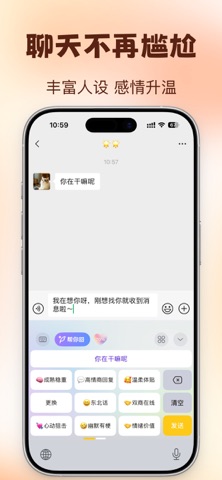
Sampled from 6 of 多彩键盘 - 壁纸键盘皮肤's App Store screenshots — background, accent and theme, measured by LaunchShots (not something Apple publishes).
#FCDCBC bg
#DDC1A5
#043454 accent
#111111 text
Screenshots



Icon palette
About this app
多彩键盘 — 解锁你的手机个性! 想让手机界面更有态度?想让聊天更有风格? 锤子聊天宝给你一站式的个性化体验——壁纸、键盘、花样字,全都安排! 【海量壁纸,随心换】 • 动态锁屏壁纸:灵动流畅、更好玩、更好看 • 静态桌面壁纸:超清、超美、超多主题 • 每天更新,保持新鲜感 【键盘皮肤,一秒变风格】 • 高颜值键盘主题任你挑 • 多种创意风格:果冻风、渐变风、极简风…随你换 • 输入也能很“上镜” 【字体输入法,打字更有个性】 • 多款输入法字体可安装 • 聊天不再千篇一律,每句话都能表达你的态度 【花样字·可复制】 • 超多花样文字样式,一键复制 • 聊天更有梗、评论更出彩 • 朋友圈文案气场瞬间拉满 【你的手机,你的风格】 无论你是爱酷炫、爱少女心、爱极简,还是爱随心换, 锤子聊天宝都会给你足够的灵感与选择。 让壁纸美出新高度,让键盘更懂你,让文字带上你的情绪色彩。 立即下载,让你的手机从此不“路人”! 每天都换个新心情,从一张壁纸、一套键盘开始。 隐私政策:https://zwww.win/dcjp/privacy.html 使用条款:https://zwww.…
App details
What you can learn from 多彩键盘 - 壁纸键盘皮肤
Every shipping app on the App Store has gone through the same decisions you're working through right now: which screenshot goes first, what caption sits over it, which device frame to show, what color the background should be. The 6 screenshots above are 多彩键盘 - 壁纸键盘皮肤's answers to those questions — they're public, they're real, and they made it through Apple's review.
What the numbers say: 多彩键盘 - 壁纸键盘皮肤 runs a light set where the background shifts from screenshot to screenshot (first shot #FCDCBC) — each image has to stand on its own, so the captions carry more of the story. The accent colour we picked up, #043454, is the one to reuse for badges, arrows and highlighted words if you borrow this look. Hit Use this style to open the editor with these exact colours and drop your own screenshot in.
Notice the first screenshot in particular. It's the one users see in search results and on the product page, and it's where most apps spend their best caption and tightest design. Look at the proportion of background to phone, where the text sits, what one thing the image is trying to communicate.
Want to see how other Graphics & Design apps approach the same problem? Browse more Graphics & Design apps in the showcase.
Take what works into your own screenshots
Open LaunchShots and design your App Store & Google Play screenshots — pick a device frame, drop captions, ship in minutes. Free, in your browser.
Open the screenshot editor →Apps with a similar look
Closest background + accent colours among the listings we've analysed — useful when you want to see the same palette handled by a different team.