Chart position — tracked daily by LaunchShots
Screenshot style breakdown
Sampled from 6 of Crystalyn:写真・ストレージクリーナー's App Store screenshots — background, accent and theme, measured by LaunchShots (not something Apple publishes).
#0484FC bg
#2795FC
#04549C accent
#FFFFFF text
Screenshots


Icon palette
About this app
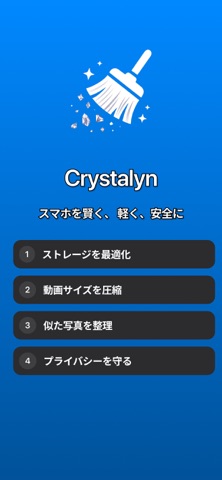
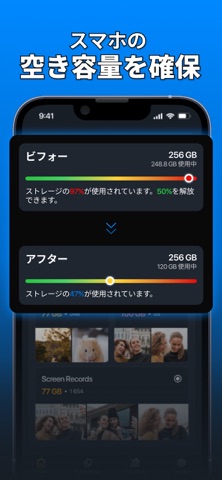
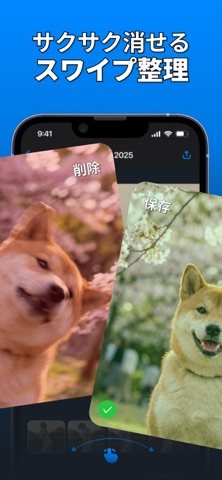
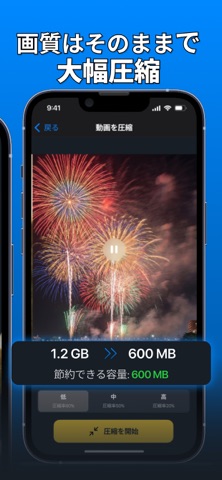
iPhoneをサクサク快適に。写真整理とプライバシー保護をこれ1つで。 Crystalynは、重複した写真の削除、大容量動画の圧縮、そして写真の隠しデータ(位置情報など)の削除ができるスマートなクリーナーアプリです。すべての処理はデバイス内で行われるため、写真が外部に送信されることは一切ありません。安心してお使いいただけます。 【重複・類似写真の削除】 ギャラリーをスキャンし、重複写真、似た写真、ピンボケ写真を瞬時に検出します。削除前に確認できるので、大切な思い出を誤って消す心配はありません。不要な写真を整理して、貴重なストレージ容量を確保しましょう。 【動画の圧縮で容量節約】 容量不足にお悩みですか?Crystalynなら、見た目の画質を落とさずに動画サイズを小さくできます。ギガバイト単位で容量を節約しながら、お気に入りの動画はそのまま保存。高速かつ簡単に使える動画クリーナー機能です。 【写真のプライバシー保護】 写真には撮影場所やカメラ情報などのメタデータ(EXIF)が含まれています。Crystalynを使えば、これらのデ…
App details
What you can learn from Crystalyn:写真・ストレージクリーナー
Every shipping app on the App Store has gone through the same decisions you're working through right now: which screenshot goes first, what caption sits over it, which device frame to show, what color the background should be. The 6 screenshots above are Crystalyn:写真・ストレージクリーナー's answers to those questions — they're public, they're real, and they made it through Apple's review.
What the numbers say: Crystalyn:写真・ストレージクリーナー runs a dark set where the background shifts from screenshot to screenshot (first shot #0484FC) — each image has to stand on its own, so the captions carry more of the story. The accent colour we picked up, #04549C, is the one to reuse for badges, arrows and highlighted words if you borrow this look. Hit Use this style to open the editor with these exact colours and drop your own screenshot in.
Notice the first screenshot in particular. It's the one users see in search results and on the product page, and it's where most apps spend their best caption and tightest design. Look at the proportion of background to phone, where the text sits, what one thing the image is trying to communicate.
Want to see how other Utilities apps approach the same problem? Browse more Utilities apps in the showcase.
Take what works into your own screenshots
Open LaunchShots and design your App Store & Google Play screenshots — pick a device frame, drop captions, ship in minutes. Free, in your browser.
Open the screenshot editor →Apps with a similar look
Closest background + accent colours among the listings we've analysed — useful when you want to see the same palette handled by a different team.