Screenshot changes — detected by LaunchShots
Screenshot style breakdown
Sampled from 6 of Jinx - 极简广告拦截与隐私保护's App Store screenshots — background, accent and theme, measured by LaunchShots (not something Apple publishes).
#FCF4FC bg
#DDD6DD
#747CC4 accent
#111111 text
Reading the caption text from the screenshots in your browser…
Screenshots


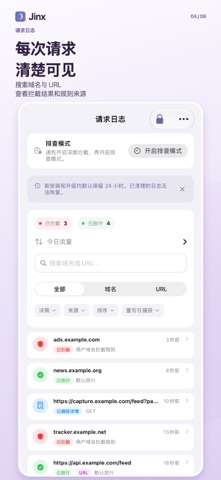


iPad screenshots


Icon palette
About this app
少些广告干扰,把注意力留给真正想看的内容。 打开一篇文章,想安静地读完;使用日常 App,希望少些打断;遇到异常拦截,也想知道原因。Jinx 从这些小事出发,把广告与追踪请求过滤、规则管理、请求日志和本地 AI 分析放进一个清晰、顺手的工具里,让你的数字日常更清净,也更可控。 【内置 30 万+条规则,从容开始】 不必从零收集一条条规则。Jinx 内置 30 万+条过滤规则,为广告与追踪请求的识别提供丰富的规则基础,覆盖域名与 URL 等不同层面的匹配需求。日常使用可以从内置规则开始,需要更细致的控制时,再加入自己的规则,逐步整理出适合你的过滤方案。 【从域名到 URL,过滤更有分寸】 通过 DNS 规则过滤匹配的广告与追踪域名,减少网页与支持的 App 中相应请求带来的干扰。完成深度拦截和证书设置后,还可对支持的 HTTPS 请求应用更细致的 URL 规则。面对同一域名下不同用途的请求,你可以按具体地址设置规则,让过滤更贴近实际需要。 【该拦的拦,该保留的由你决定】 黑名单用于拦截不想要的请求,白名单用于保留需要的访问。遇到内容加载异常,可以…
App details
What you can learn from Jinx - 极简广告拦截与隐私保护
Every shipping app on the App Store has gone through the same decisions you're working through right now: which screenshot goes first, what caption sits over it, which device frame to show, what color the background should be. The 16 screenshots above are Jinx - 极简广告拦截与隐私保护's answers to those questions — they're public, they're real, and they made it through Apple's review.
What the numbers say: Jinx - 极简广告拦截与隐私保护 runs a light set with one background colour (#FCF4FC) carried across every screenshot — the listing reads as a single poster when the shots sit side by side in search results. The accent colour we picked up, #747CC4, is the one to reuse for badges, arrows and highlighted words if you borrow this look. Hit Use this style to open the editor with these exact colours and drop your own screenshot in.
Notice the first screenshot in particular. It's the one users see in search results and on the product page, and it's where most apps spend their best caption and tightest design. Look at the proportion of background to phone, where the text sits, what one thing the image is trying to communicate.
Want to see how other Utilities apps approach the same problem? Browse more Utilities apps in the showcase.
Take what works into your own screenshots
Open LaunchShots and design your App Store & Google Play screenshots — pick a device frame, drop captions, ship in minutes. Free, in your browser.
Open the screenshot editor →Apps with a similar look
Closest background + accent colours among the listings we've analysed — useful when you want to see the same palette handled by a different team.