Chart position — tracked daily by LaunchShots
Screenshot style breakdown
Sampled from 3 of 闪电X浏览器-极速内核,隐身浏览's App Store screenshots — background, accent and theme, measured by LaunchShots (not something Apple publishes).
#CCE4EC bg
#B3C8CF
#6CCCEC accent
#111111 text
Reading the caption text from the screenshots in your browser…
Screenshots

Icon palette
About this app
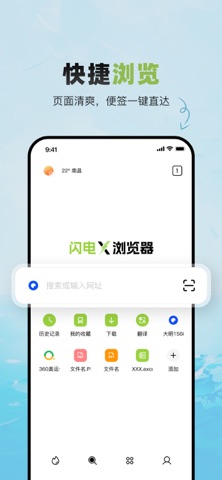
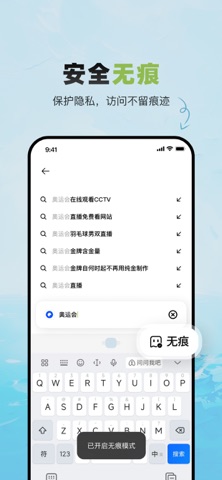
闪电X浏览器,重新定义您的移动浏览与办公体验。我们不仅是一款追求极致速度的浏览器,更是一个守护您隐私安全、并集成强大办公工具的智能助手。 【隐身浏览,安全无忧】 - 隐私优先: 内置强大的隐私保护模式,自动拦截跟踪器与恶意广告,不记录您的浏览历史,让您如隐身般畅游网络,数据只属于您自己。 - 安全浏览: 实时网址安全检测,预警危险与欺诈网站,为您的每一次点击保驾护航。 【全能工具箱,效率引擎】 - 媒体压缩神器: 一键智能压缩图片与视频,大幅节省设备存储空间与分享流量,清晰度依然在线。 - 文档转换大师: 支持PDF、Word、Excel、PPT等多种格式互转,手机端轻松处理文档,办公学习更高效。 - 翻译快如闪电: 实时文本翻译与精准图片取词翻译,打破语言壁垒,浏览外文资料、海淘购物从未如此简单。 【极速内核,轻快体验】 - 采用高效内核,页面加载风驰电掣,同时保持轻量体量,运行流畅不卡顿,为您节省宝贵的手机资源。 闪电X浏览器,将“极速浏览”、“隐私守护”与“效率工具”完美融合。无论是专注冲浪,还是处理工作学习任务,它都是您手中最…
App details
What you can learn from 闪电X浏览器-极速内核,隐身浏览
Every shipping app on the App Store has gone through the same decisions you're working through right now: which screenshot goes first, what caption sits over it, which device frame to show, what color the background should be. The 3 screenshots above are 闪电X浏览器-极速内核,隐身浏览's answers to those questions — they're public, they're real, and they made it through Apple's review.
What the numbers say: 闪电X浏览器-极速内核,隐身浏览 runs a light set with one background colour (#CCE4EC) carried across every screenshot — the listing reads as a single poster when the shots sit side by side in search results. The accent colour we picked up, #6CCCEC, is the one to reuse for badges, arrows and highlighted words if you borrow this look. Hit Use this style to open the editor with these exact colours and drop your own screenshot in.
Notice the first screenshot in particular. It's the one users see in search results and on the product page, and it's where most apps spend their best caption and tightest design. Look at the proportion of background to phone, where the text sits, what one thing the image is trying to communicate.
Want to see how other Utilities apps approach the same problem? Browse more Utilities apps in the showcase.
Take what works into your own screenshots
Open LaunchShots and design your App Store & Google Play screenshots — pick a device frame, drop captions, ship in minutes. Free, in your browser.
Open the screenshot editor →Apps with a similar look
Closest background + accent colours among the listings we've analysed — useful when you want to see the same palette handled by a different team.