Chart position — tracked daily by LaunchShots
Screenshot changes — detected by LaunchShots
Screenshot style breakdown
Sampled from 3 of 小码盒's App Store screenshots — background, accent and theme, measured by LaunchShots (not something Apple publishes).
#FCFCFC bg
#DDDDDD
#FC9404 accent
#111111 text
Screenshots


iPad screenshots

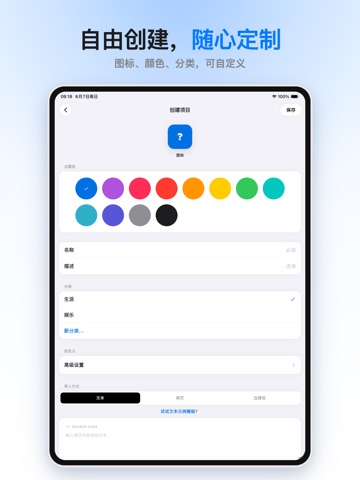

Icon palette
About this app
致每一位热衷于创造代码的软件爱好者: 当你刚刚完成一个网页的灵感创作,迫不及待想在手机真机上查看效果时——小码盒就是为你准备的惊喜。 它不仅仅是一个本地网页查看器,更是一个能把你的代码装进口袋的“魔法盒子”。无论是一个精心设计的个人主页,还是一个自制的离线 H5 工具,只需一键导入,小码盒就能让它们在你的指尖流畅运行。 我们深知开发者对于“纯净环境”的执着,因此小码盒坚持本地优先,核心预览能力不依赖云端服务,回归最纯粹的本地文件预览体验。 特别声明:本应用仅内置少量演示模板,不提供任何其他内容服务。我们严格保障数据隐私,您的网页项目文件与代码内容默认仅存储于设备本地,不会主动上传至服务器。即使在完全断网的状态下,核心功能亦可正常运行。若您主动使用数据备份功能,小码盒仅会根据您的操作备份当前网页在使用过程中产生并保存在本机的数据,方便换设备后继续使用;项目源码、App 设置及其它项目数据不会被自动备份。请您妥善保管本地项目文件与备份码。 为什么选择小码盒? 离线核心,本地优先。小码盒采用“离线优先”架构,…
App details
What you can learn from 小码盒
Every shipping app on the App Store has gone through the same decisions you're working through right now: which screenshot goes first, what caption sits over it, which device frame to show, what color the background should be. The 6 screenshots above are 小码盒's answers to those questions — they're public, they're real, and they made it through Apple's review.
What the numbers say: 小码盒 runs a light set with one background colour (#FCFCFC) carried across every screenshot — the listing reads as a single poster when the shots sit side by side in search results. The accent colour we picked up, #FC9404, is the one to reuse for badges, arrows and highlighted words if you borrow this look. Hit Use this style to open the editor with these exact colours and drop your own screenshot in.
Notice the first screenshot in particular. It's the one users see in search results and on the product page, and it's where most apps spend their best caption and tightest design. Look at the proportion of background to phone, where the text sits, what one thing the image is trying to communicate.
Want to see how other Developer Tools apps approach the same problem? Browse more Developer Tools apps in the showcase.
Take what works into your own screenshots
Open LaunchShots and design your App Store & Google Play screenshots — pick a device frame, drop captions, ship in minutes. Free, in your browser.
Open the screenshot editor →Apps with a similar look
Closest background + accent colours among the listings we've analysed — useful when you want to see the same palette handled by a different team.