Screenshots



Icon palette
About this app
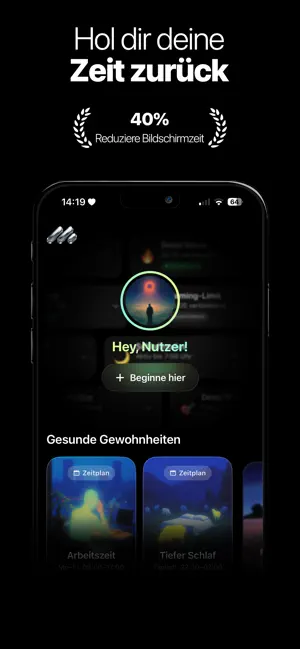
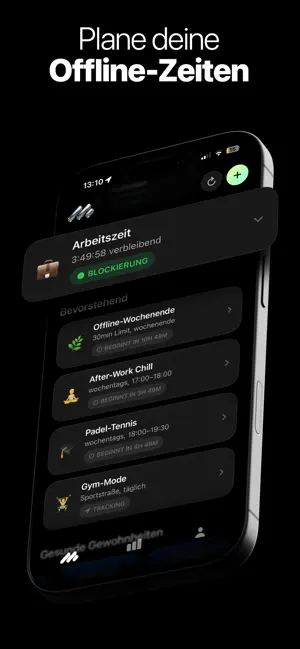
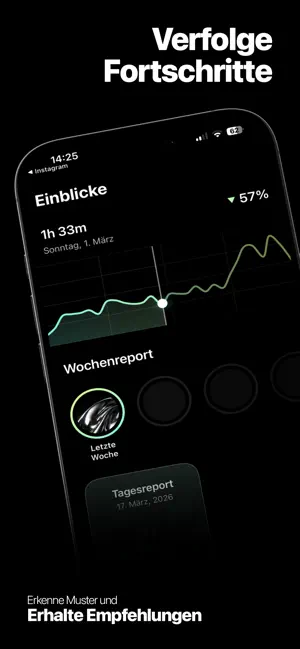
Handy ausschalten, süchtig machende Apps löschen, Social Media abmelden – klingt gut, hält aber selten lange. Denn das Problem ist nicht dein Wille. Es sind Gewohnheiten. Mjut setzt genau dort an. Bewusste Nutzung statt Autopilot Bevor du eine ablenkende App öffnest, hältst du kurz inne: Warum willst du sie nutzen? Wie lange? Diese kleine Reflexion verändert dein Verhalten – und gibt dir die Kontrolle zurück. Apps blockieren – flexibel und intelligent Schaffe dir Raum für Fokus, wann immer du ihn brauchst: -Sofortiger Fokus-Modus (z. B. 30 Minuten) -Zeitpläne für Arbeit, Schlaf oder persönliche Routinen -Ortsbasierte Sperren (z. B. im Büro, Gym oder zuhause) -Individuelle Blockierlisten für ablenkende Apps Smarte Nutzung statt kompletter Verzicht Setze dir klare Grenzen, ohne dich einzuschränken: -Individuelle Zeitlimits für Apps -Automatische Sperre nach Ablauf -Bewusste …
App details
What you can learn from Mjut: Wenig Bildschirmzeit
Every shipping app on the App Store has gone through the same decisions you're working through right now: which screenshot goes first, what caption sits over it, which device frame to show, what color the background should be. The 6 screenshots above are Mjut: Wenig Bildschirmzeit's answers to those questions — they're public, they're real, and they made it through Apple's review.
Notice the first screenshot in particular. It's the one users see in search results and on the product page, and it's where most apps spend their best caption and tightest design. Look at the proportion of background to phone, where the text sits, what one thing the image is trying to communicate.
Want to see how other Productivity apps approach the same problem? Browse more Productivity apps in the showcase.
Take what works into your own screenshots
Open LaunchShots and design your App Store & Google Play screenshots — pick a device frame, drop captions, ship in minutes. Free, in your browser.
Open the screenshot editor →