Chart position — tracked daily by LaunchShots
Screenshot changes — detected by LaunchShots
Screenshot style breakdown
Sampled from 6 of Mermaid Live Editor - MMChart's App Store screenshots — background, accent and theme, measured by LaunchShots (not something Apple publishes).
#040414 bg
#272734
#2C4C6C accent
#FFFFFF text
Screenshots



iPad screenshots



Icon palette
About this app
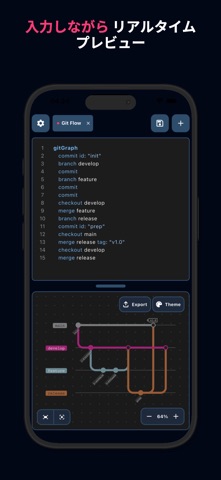
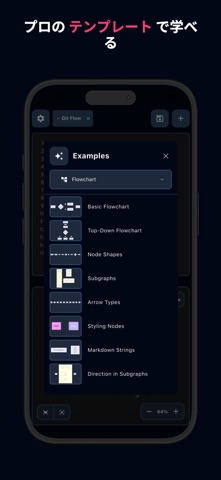
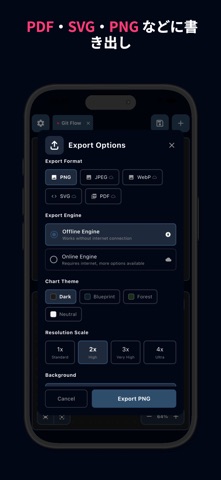
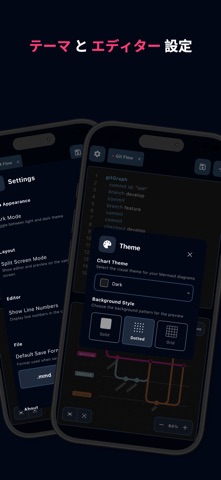
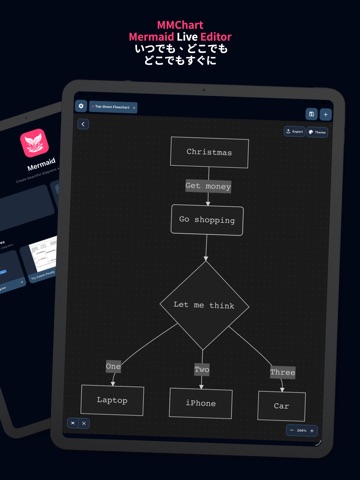
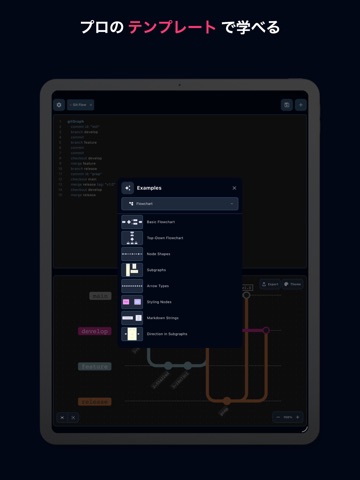
Mermaid Live Editor の力で、いつでも、どこでも、あなたのアイデアを形にしましょう。 システムアーキテクチャを設計する開発者、ロジックを可視化する学生、ガントチャートを作成するプロジェクトマネージャーなど、Mermaid Live Editor は Mermaid ダイアグラムのための究極のモバイルワークスペースです。デスクに戻るまで待つ必要はありません。シームレスで高性能なエディターにより、スマートフォン上でコードを書き、複雑なチャートを直接可視化できます。 主な機能: - リアルタイムライブプレビュー: 入力しながらダイアグラムが形になっていく様子を確認できます。分割画面または切り替え表示により、ビジュアルロジックとコードが即座に一致しているか確認できます。 - 完全なシンタックスハイライト: Mermaid 構文専用に設計されたエディターで、クリーンで読みやすいコードを書けます。 - すべてのチャートタイプをサポート: フローチャート、シーケンス図、クラス図、状態遷移図、ER 図、ユーザージャーニー、ガントチャート、円グラフ、クアドラ…
App details
What you can learn from Mermaid Live Editor - MMChart
Every shipping app on the App Store has gone through the same decisions you're working through right now: which screenshot goes first, what caption sits over it, which device frame to show, what color the background should be. The 14 screenshots above are Mermaid Live Editor - MMChart's answers to those questions — they're public, they're real, and they made it through Apple's review.
What the numbers say: Mermaid Live Editor - MMChart runs a dark set with one background colour (#040414) carried across every screenshot — the listing reads as a single poster when the shots sit side by side in search results. The accent colour we picked up, #2C4C6C, is the one to reuse for badges, arrows and highlighted words if you borrow this look. Hit Use this style to open the editor with these exact colours and drop your own screenshot in.
Notice the first screenshot in particular. It's the one users see in search results and on the product page, and it's where most apps spend their best caption and tightest design. Look at the proportion of background to phone, where the text sits, what one thing the image is trying to communicate.
Want to see how other Developer Tools apps approach the same problem? Browse more Developer Tools apps in the showcase.
Take what works into your own screenshots
Open LaunchShots and design your App Store & Google Play screenshots — pick a device frame, drop captions, ship in minutes. Free, in your browser.
Open the screenshot editor →Apps with a similar look
Closest background + accent colours among the listings we've analysed — useful when you want to see the same palette handled by a different team.