Chart position — tracked daily by LaunchShots
Screenshot changes — detected by LaunchShots
Screenshot style breakdown
Sampled from 6 of Translate Ace - AI翻訳's App Store screenshots — background, accent and theme, measured by LaunchShots (not something Apple publishes).
#E4F4FC bg
#C8D6DD
#047CFC accent
#111111 text
Reading the caption text from the screenshots in your browser…
Screenshots






Icon palette
About this app
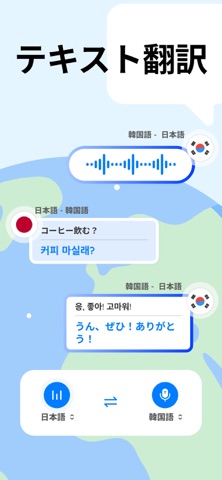
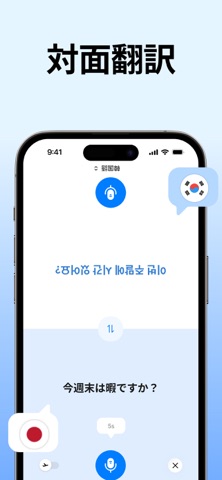
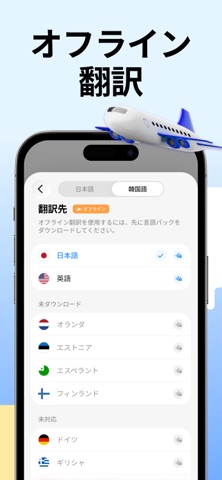
Translate Aceは、言語の壁を取り除き、異なる言語間のコミュニケーションをより簡単で快適にする、高速かつ高精度なスマート翻訳ツールです。必要なときに、いつでもどこでもご利用いただけます。 複数のAIモデルを搭載し、音声・写真・テキスト翻訳で、より正確で自然な翻訳体験を提供します。 オフラインモードにも対応しているため、ネットワーク接続を待つことなく、いつでもどこでも翻訳できます。 主な機能 リアルタイム音声翻訳 音声認識によるリアルタイム翻訳に対応しています。翻訳結果を表示または音声で確認でき、自然な双方向コミュニケーションを実現します。 カメラ&画像の即時翻訳 写真やインポートした画像内のテキストを翻訳できます。ARモードでは翻訳結果を元のコンテキストに合わせて表示し、印刷された文字や画面上のテキストをより簡単に理解できます。 撮影による単語翻訳 撮影ベースの単語翻訳では、単語の翻訳、発音、例文を提供し、より深い理解をサポートします。 入力・貼り付けテキストの翻訳 入力または貼り付けたテキス…
App details
What you can learn from Translate Ace - AI翻訳
Every shipping app on the App Store has gone through the same decisions you're working through right now: which screenshot goes first, what caption sits over it, which device frame to show, what color the background should be. The 10 screenshots above are Translate Ace - AI翻訳's answers to those questions — they're public, they're real, and they made it through Apple's review.
What the numbers say: Translate Ace - AI翻訳 runs a light set where the background shifts from screenshot to screenshot (first shot #E4F4FC) — each image has to stand on its own, so the captions carry more of the story. The accent colour we picked up, #047CFC, is the one to reuse for badges, arrows and highlighted words if you borrow this look. Hit Use this style to open the editor with these exact colours and drop your own screenshot in.
Notice the first screenshot in particular. It's the one users see in search results and on the product page, and it's where most apps spend their best caption and tightest design. Look at the proportion of background to phone, where the text sits, what one thing the image is trying to communicate.
Want to see how other Reference apps approach the same problem? Browse more Reference apps in the showcase.
Take what works into your own screenshots
Open LaunchShots and design your App Store & Google Play screenshots — pick a device frame, drop captions, ship in minutes. Free, in your browser.
Open the screenshot editor →Apps with a similar look
Closest background + accent colours among the listings we've analysed — useful when you want to see the same palette handled by a different team.