Chart position — tracked daily by LaunchShots
Screenshot changes — detected by LaunchShots
Screenshot style breakdown
Sampled from 5 of 可拓's App Store screenshots — background, accent and theme, measured by LaunchShots (not something Apple publishes).
#141424 bg
#343442
#3C74C4 accent
#FFFFFF text
Reading the caption text from the screenshots in your browser…
Screenshots


iPad screenshots


Icon palette
About this app
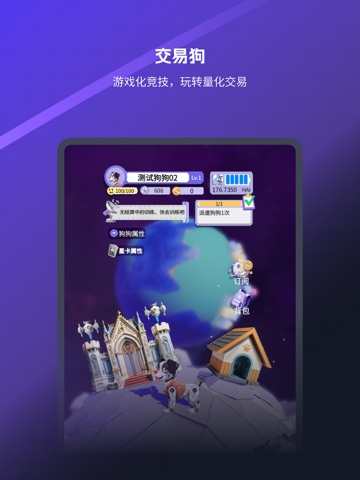
应用名称: 可拓 核心功能定位: 可拓是一个可视化数据加工与算法创建平台。我们专注于将复杂的数据处理流程转化为简单、直观的交互式体验,让普通用户无需编程背景也能参与数据价值转化。 具体功能描述: 1. 支持苹果应用内购买(In-App-Purchase) 支持用户在应用充值算力HAI 2. 交互式数据处理工具 用户通过游戏化的养成与训练,轻松配置数据处理参数 系统自动将用户操作转化为可执行的算法模型 处理结果以游戏的方式呈现,便于理解和使用 3. 用户生成内容的安全管理机制(完全符合准则1.2) 预处理审核:所有用户发布的算法模型、数据模板等内容,必须经过后台管理员人工审核通过后,才会公开展示 用户端举报系统:每个内容都配备“不喜欢”和“举报”按钮,操作成功后,屏蔽后相关内容立即从当前用户视野中消失;同时提供拉黑功能,避免用户被不喜欢的内容骚扰 24小时响应承诺:我们承诺在24小时内处理所有举报,移除违规内容并封禁违规账号 4. 平台技术特点 提供标准化SDK,确保…
App details
What you can learn from 可拓
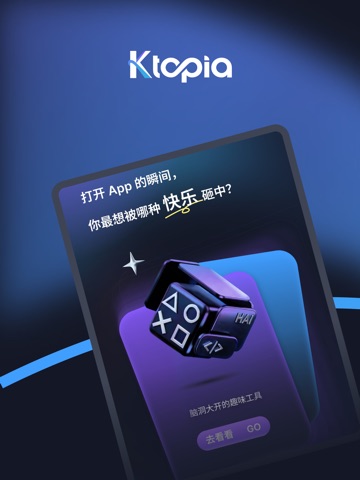
Every shipping app on the App Store has gone through the same decisions you're working through right now: which screenshot goes first, what caption sits over it, which device frame to show, what color the background should be. The 10 screenshots above are 可拓's answers to those questions — they're public, they're real, and they made it through Apple's review.
What the numbers say: 可拓 runs a dark set with one background colour (#141424) carried across every screenshot — the listing reads as a single poster when the shots sit side by side in search results. The accent colour we picked up, #3C74C4, is the one to reuse for badges, arrows and highlighted words if you borrow this look. Hit Use this style to open the editor with these exact colours and drop your own screenshot in.
Notice the first screenshot in particular. It's the one users see in search results and on the product page, and it's where most apps spend their best caption and tightest design. Look at the proportion of background to phone, where the text sits, what one thing the image is trying to communicate.
Want to see how other Developer Tools apps approach the same problem? Browse more Developer Tools apps in the showcase.
Take what works into your own screenshots
Open LaunchShots and design your App Store & Google Play screenshots — pick a device frame, drop captions, ship in minutes. Free, in your browser.
Open the screenshot editor →Apps with a similar look
Closest background + accent colours among the listings we've analysed — useful when you want to see the same palette handled by a different team.