Chart position — tracked daily by LaunchShots
Screenshot style breakdown
Sampled from 6 of eSIMなら Almond eSIM -国内・海外 eSIM's App Store screenshots — background, accent and theme, measured by LaunchShots (not something Apple publishes).
#54C4FC bg
#49ACDD
#FCA444 accent
#111111 text
Screenshots





Icon palette
About this app
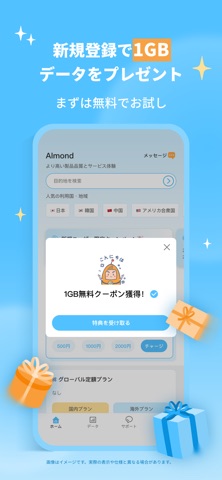
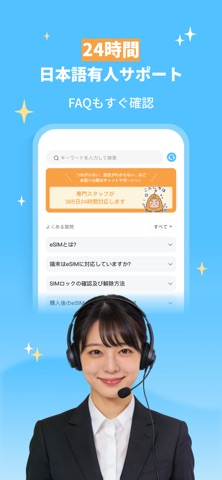
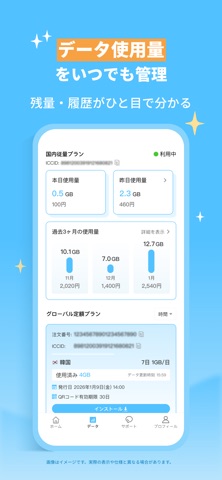
日本国内のギガ不足に最適!海外旅行、出張もこれ一つで完結。 Almond(アーモンド)eSIMは、契約不要・従量制・データ永久有効。 Amazon日本市場3年連続eSIMシェア1位の実績で安心。新規登録で1GB無料体験実施中! 【Almond eSIMが選ばれる理由】 ●国内データ永久有効・契約不要: 国内従量制データプランは、使い切るまで有効期限なし。基本料金や契約の縛りは一切ありません。使った分だけ支払うチャージ式だから無駄が出ず、「ギガ不足」解消に最適です。 ●世界200以上の国・地域に対応: 韓国・台湾をはじめ、アメリカ、ハワイ、ヨーロッパなど、多くの国と地域に対応しています。現地キャリアの高速回線を厳選してご提供します。日本キャリアの「海外放題」よりも格安で利用可能です。 ●最短1分で設定完了・APP一括管理: 複雑な手続きは一切なし。eSIM対応端末なら、アプリからプランを選んで即日開通できます。国内・海外の複数プランを1つのアプリで管理できます。 ●安心の日本語サポート: 困った時はいつでも24時間有人で日本語カスタマーサポートが対応。万…
App details
What you can learn from eSIMなら Almond eSIM -国内・海外 eSIM
Every shipping app on the App Store has gone through the same decisions you're working through right now: which screenshot goes first, what caption sits over it, which device frame to show, what color the background should be. The 8 screenshots above are eSIMなら Almond eSIM -国内・海外 eSIM's answers to those questions — they're public, they're real, and they made it through Apple's review.
What the numbers say: eSIMなら Almond eSIM -国内・海外 eSIM runs a light set with one background colour (#54C4FC) carried across every screenshot — the listing reads as a single poster when the shots sit side by side in search results. The accent colour we picked up, #FCA444, is the one to reuse for badges, arrows and highlighted words if you borrow this look. Hit Use this style to open the editor with these exact colours and drop your own screenshot in.
Notice the first screenshot in particular. It's the one users see in search results and on the product page, and it's where most apps spend their best caption and tightest design. Look at the proportion of background to phone, where the text sits, what one thing the image is trying to communicate.
Want to see how other Travel apps approach the same problem? Browse more Travel apps in the showcase.
Take what works into your own screenshots
Open LaunchShots and design your App Store & Google Play screenshots — pick a device frame, drop captions, ship in minutes. Free, in your browser.
Open the screenshot editor →Apps with a similar look
Closest background + accent colours among the listings we've analysed — useful when you want to see the same palette handled by a different team.