Chart position — tracked daily by LaunchShots
Screenshot changes — detected by LaunchShots
Screenshot style breakdown
Sampled from 6 of Yolight予光-每日面部瑜伽瘦脸打卡教程's App Store screenshots — background, accent and theme, measured by LaunchShots (not something Apple publishes).
#F4F4FC bg
#D6D6DD
#E4AC94 accent
#111111 text
Reading the caption text from the screenshots in your browser…
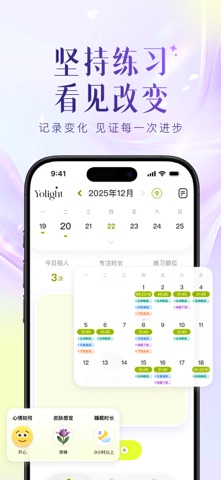
Screenshots



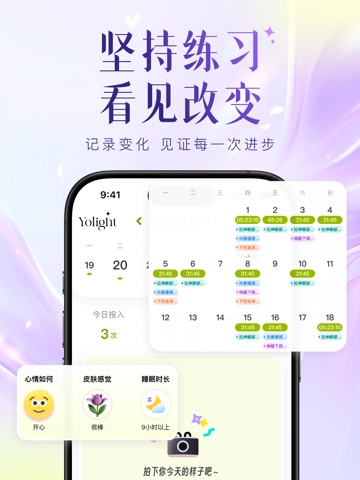
iPad screenshots



Icon palette
About this app
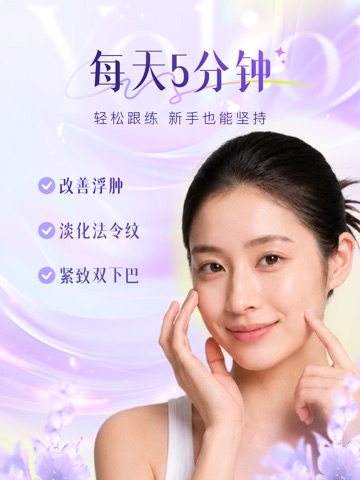
见证你的每一次变好! 在忙碌、压力与屏幕之间,脸往往是最先感到疲惫的地方。 Yolight想做的,就是通过面部瑜伽与情绪调节,帮你把这些累积慢慢释放掉。 我们主打面部训练与面部锻炼,旨在通过科学的脸部瑜伽练习,帮助你温和地瘦脸、去浮肿、消除双下巴,并清晰下颌线,陪你把状态一点点找回来。 为什么选择 Yolight? 1、不占时间,也不打断生活 通勤路上、睡前护理、追剧时,随时都能完成一组晨间护理或居家护理练习。 把面部操融进生活,而不是让生活为练习让路。 无论是消水肿还是紧致提拉,5分钟就能见效。 2、皮肤检测,1V1定制 面部扫描分析,识别你当前的面部状态与关注重点,为你匹配更合适的个性化计划与抗老护理方向。 针对双下巴、法令纹、鱼尾纹等问题,告别盲目跟练,每一步都有依据。 3、真人跟练,清晰指引 真人跟练教学,配合直观的动作讲解与节奏引导,让每一个面部锻炼都更容易理解、跟上。 即使是明星瘦脸操,也能轻松掌握。 4、镜子与点位辅助,更安心 镜子模式 + 发力点位提示,帮助你找到正确的发力位置,精准提升苹果肌、美化额头,避…
App details
What you can learn from Yolight予光-每日面部瑜伽瘦脸打卡教程
Every shipping app on the App Store has gone through the same decisions you're working through right now: which screenshot goes first, what caption sits over it, which device frame to show, what color the background should be. The 12 screenshots above are Yolight予光-每日面部瑜伽瘦脸打卡教程's answers to those questions — they're public, they're real, and they made it through Apple's review.
What the numbers say: Yolight予光-每日面部瑜伽瘦脸打卡教程 runs a light set with one background colour (#F4F4FC) carried across every screenshot — the listing reads as a single poster when the shots sit side by side in search results. The accent colour we picked up, #E4AC94, is the one to reuse for badges, arrows and highlighted words if you borrow this look. Hit Use this style to open the editor with these exact colours and drop your own screenshot in.
Notice the first screenshot in particular. It's the one users see in search results and on the product page, and it's where most apps spend their best caption and tightest design. Look at the proportion of background to phone, where the text sits, what one thing the image is trying to communicate.
Want to see how other Health & Fitness apps approach the same problem? Browse more Health & Fitness apps in the showcase.
Take what works into your own screenshots
Open LaunchShots and design your App Store & Google Play screenshots — pick a device frame, drop captions, ship in minutes. Free, in your browser.
Open the screenshot editor →Apps with a similar look
Closest background + accent colours among the listings we've analysed — useful when you want to see the same palette handled by a different team.