Chart position — tracked daily by LaunchShots
Screenshot style breakdown
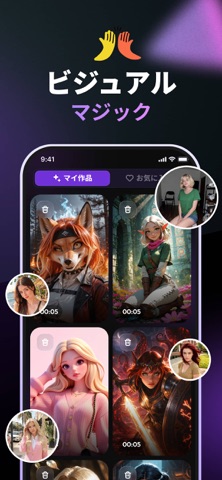
Sampled from 6 of HypeCut - AI動画生成's App Store screenshots — background, accent and theme, measured by LaunchShots (not something Apple publishes).
#040404 bg
#272727
#E40424 accent
#FFFFFF text
Screenshots

Icon palette
About this app
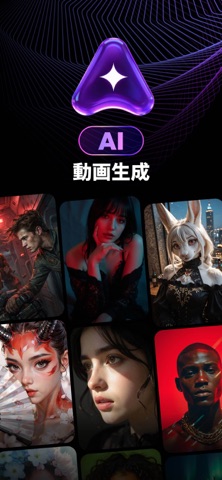
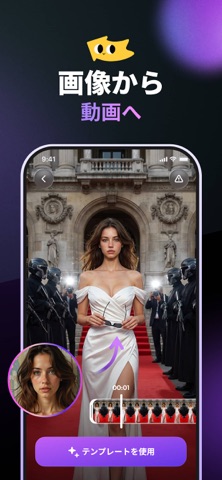
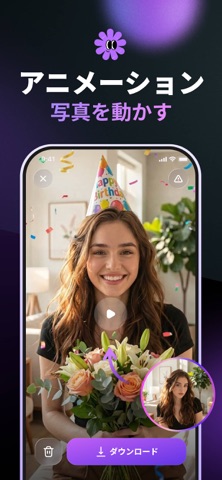
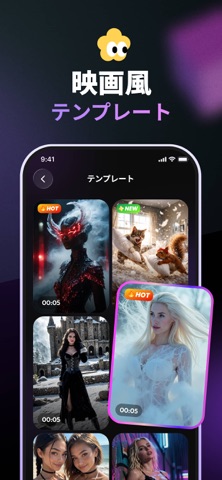
HypeCutは、静止画を躍動感のある動画に変換するAI動画メーカーです。 コンテンツクリエイター、インフルエンサー、あるいは大切な思い出を動かしたい方まで、強力な画像から動画への変換技術により、HypeCutなら簡単に実現できます。 主な機能: • AI動画生成 静止画を高品質な動画クリップに変換。動画編集のスキルは不要です。 • 写真アニメーション 写真を動かしましょう!セルフィーをアップロードするだけで、AIエンジンがリアルな動きと命を吹き込みます。 • トレンド動画テンプレート すぐに使えるスタイルのライブラリにアクセス。ワンタップで楽しい動画や映画のような動画を作成できます。 ご自身が所有している写真、または使用許可を得ている写真のみをアップロードしてください。また、写っている人物から同意を得てください。 HypeCutが選ばれる理由 - ワンタップ作成:シンプルな操作で素晴らしい結果。 - SNS対応:ストーリーや投稿に最適な人気のアスペクト比。 - 安全性とプライバシー:プライバシー優先の設計。データを保護し、不…
App details
What you can learn from HypeCut - AI動画生成
Every shipping app on the App Store has gone through the same decisions you're working through right now: which screenshot goes first, what caption sits over it, which device frame to show, what color the background should be. The 6 screenshots above are HypeCut - AI動画生成's answers to those questions — they're public, they're real, and they made it through Apple's review.
What the numbers say: HypeCut - AI動画生成 runs a dark set where the background shifts from screenshot to screenshot (first shot #040404) — each image has to stand on its own, so the captions carry more of the story. The accent colour we picked up, #E40424, is the one to reuse for badges, arrows and highlighted words if you borrow this look. Hit Use this style to open the editor with these exact colours and drop your own screenshot in.
Notice the first screenshot in particular. It's the one users see in search results and on the product page, and it's where most apps spend their best caption and tightest design. Look at the proportion of background to phone, where the text sits, what one thing the image is trying to communicate.
Want to see how other Utilities apps approach the same problem? Browse more Utilities apps in the showcase.
Take what works into your own screenshots
Open LaunchShots and design your App Store & Google Play screenshots — pick a device frame, drop captions, ship in minutes. Free, in your browser.
Open the screenshot editor →Apps with a similar look
Closest background + accent colours among the listings we've analysed — useful when you want to see the same palette handled by a different team.