Screenshot style breakdown
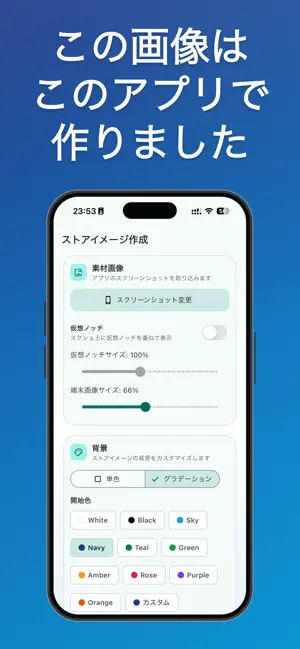
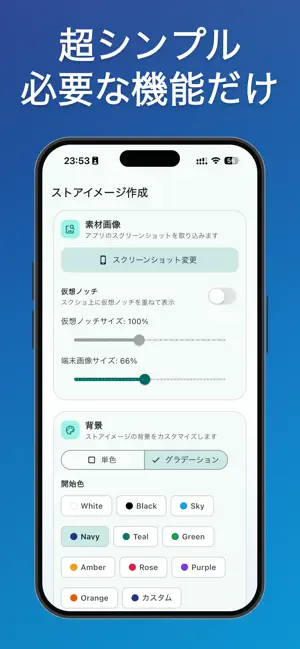
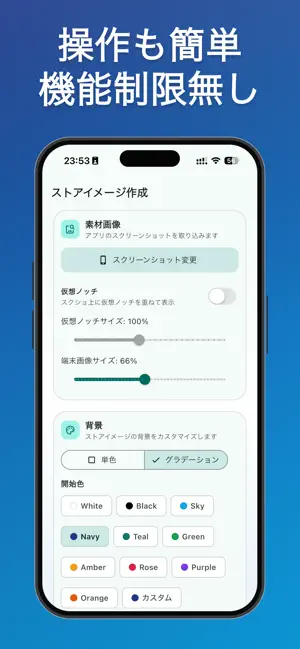
Sampled from 3 of ストアイメージ作成 | モックアップ画像 | フレーム合成's App Store screenshots — background, accent and theme, measured by LaunchShots (not something Apple publishes).
#2C549C bg
#496BA9
#0C94D4 accent
#FFFFFF text
Screenshots
Icon palette
About this app
このアプリは、App Storeに掲載する「イメージ画像」を、できるだけ短時間で、かつ見栄えよく仕上げるための作成ツールです。 スクリーンショットを読み込み、自動でモックアップに合成し、背景・テキスト・配置を調整し、最終的な掲載用画像として保存するまでを、ひとつの画面で完結できます。 画像編集ソフトのような複雑な操作は不要で、必要な設定だけを絞って用意しているため、初めてでも迷わず使えます。 日々のアップデートやキャンペーンに合わせて、訴求内容の異なるバリエーションを素早く作りたいときにも役立ちます。 主な流れはシンプルです。まずアプリ画面のスクリーンショットを選択し、次に背景スタイルを単色またはグラデーションから選びます。その後、キャッチコピーを入力して文字色・サイズ・配置を調整し、ライブプレビューで全体のバランスを確認します。プレビューは設定変更に合わせて即時反映されるため、試行錯誤のテンポを落とさずに仕上げられます。最後にPNGとして保存すれば、そのままストア提出用の素材として活用できます。 見…
App details
What you can learn from ストアイメージ作成 | モックアップ画像 | フレーム合成
Every shipping app on the App Store has gone through the same decisions you're working through right now: which screenshot goes first, what caption sits over it, which device frame to show, what color the background should be. The 3 screenshots above are ストアイメージ作成 | モックアップ画像 | フレーム合成's answers to those questions — they're public, they're real, and they made it through Apple's review.
What the numbers say: ストアイメージ作成 | モックアップ画像 | フレーム合成 runs a dark set where the background shifts from screenshot to screenshot (first shot #2C549C) — each image has to stand on its own, so the captions carry more of the story. The accent colour we picked up, #0C94D4, is the one to reuse for badges, arrows and highlighted words if you borrow this look. Hit Use this style to open the editor with these exact colours and drop your own screenshot in.
Notice the first screenshot in particular. It's the one users see in search results and on the product page, and it's where most apps spend their best caption and tightest design. Look at the proportion of background to phone, where the text sits, what one thing the image is trying to communicate.
Want to see how other Developer Tools apps approach the same problem? Browse more Developer Tools apps in the showcase.
Take what works into your own screenshots
Open LaunchShots and design your App Store & Google Play screenshots — pick a device frame, drop captions, ship in minutes. Free, in your browser.
Open the screenshot editor →Apps with a similar look
Closest background + accent colours among the listings we've analysed — useful when you want to see the same palette handled by a different team.