Screenshots
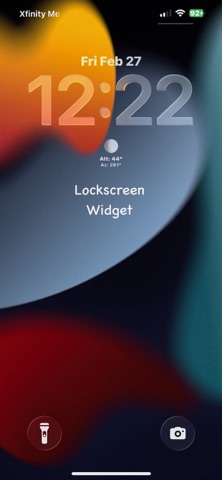
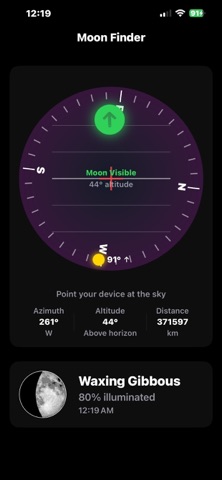
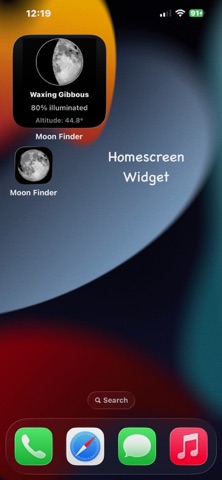
Icon palette
About this app
Moon Finder turns your iPhone into a personal lunar observatory. Using your device's compass and motion sensors, it guides you to the moon's exact position in the sky — just point your phone and follow the arrow. INTERACTIVE MOON FINDER Hold up your phone and Moon Finder shows you exactly where to look. A live compass ring rotates with your device while a green arrow points toward the moon's current position. Tilt your phone up or down and a level indicator shows the moon's altitude. When you're pointing right at it, the display lights up green — you've found it. DETAILED MOON DATA See everything about the moon at a glance: - Current phase with visual representation - Illumination percentage - Altitude and azimuth (compass bearing) - Distance from Earth in kilometers - Ecliptic coordinates for orbital position - Whether the moon is above or below your horizon LOCKSCREEN & HOME SCREEN…
App details
What you can learn from Moon Finder: Moonrise Widget
Every shipping app on the App Store has gone through the same decisions you're working through right now: which screenshot goes first, what caption sits over it, which device frame to show, what color the background should be. The 3 screenshots above are Moon Finder: Moonrise Widget's answers to those questions — they're public, they're real, and they made it through Apple's review.
Notice the first screenshot in particular. It's the one users see in search results and on the product page, and it's where most apps spend their best caption and tightest design. Look at the proportion of background to phone, where the text sits, what one thing the image is trying to communicate.
Want to see how other Weather apps approach the same problem? Browse more Weather apps in the showcase.
Take what works into your own screenshots
Open LaunchShots and design your App Store & Google Play screenshots — pick a device frame, drop captions, ship in minutes. Free, in your browser.
Open the screenshot editor →