Chart position — tracked daily by LaunchShots
Screenshot style breakdown
Sampled from 3 of みあケア 気圧予報と頭痛記録・体調管理's App Store screenshots — background, accent and theme, measured by LaunchShots (not something Apple publishes).
#FCF4F4 bg
#DDD6D6
#DC849C accent
#111111 text
Reading the caption text from the screenshots in your browser…
Screenshots

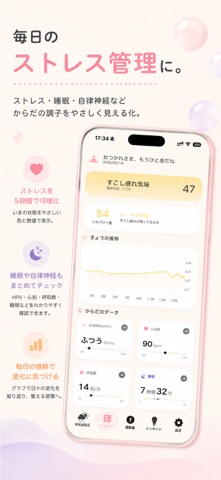
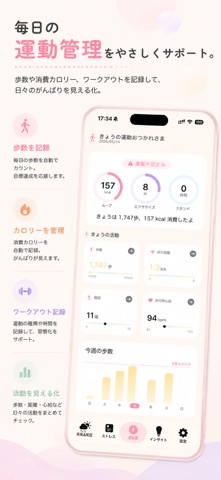
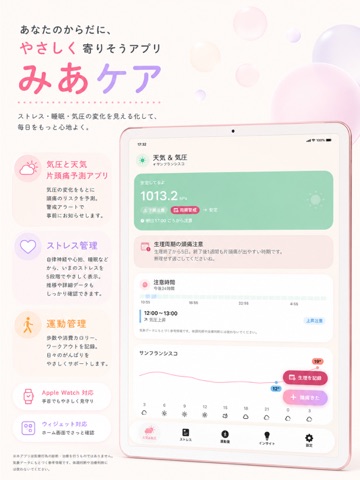
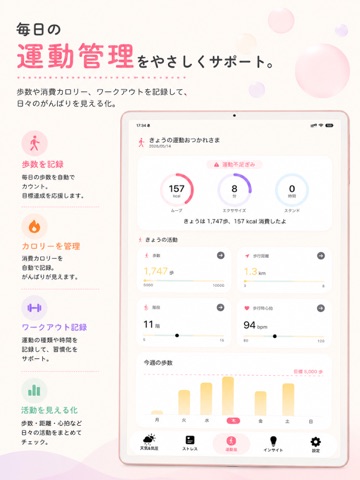
iPad screenshots

Icon palette
About this app
みあケア — あなたのからだ、もっと大切に。 毎日がんばるあなたへ。みあケアは、AppleWatchのヘルスデータをもとに自律神経のバランスやストレスレベルをやさしく教えてくれるアプリです。 ◆ ストレスレベルを5段階で表示 HRV(心拍変動)・心拍数・睡眠・呼吸数・SpO2を総合的に分析。「おだやか」「ふつう」「すこし疲れ気味」「お疲れモード」「がんばりすぎ」の5段階で、いまのからだの状態をひと目で把握できます。 ◆ リカバリースコア からだの回復度を数値化。今日のコンディションが万全かどうか、朝いちばんに確認できます。 ◆ 睡眠スコア & ステージ分析 深い睡眠・REM・浅い睡眠の割合をグラフで可視化。100点満点の睡眠スコアで、眠りの質を毎日チェック。 ◆ 気圧 & 片頭痛アラート WeatherKitによるリアルタイム気圧データと48時間先の予報を表示。気圧の急降下を検知して、頭痛がくる前にプッシュ通知でお知らせします。 ◆ 天気情報 気温・湿度・風速・UV指数をかわいいミニカードで表示。お出かけ前の体調管理に。 ◆ 深呼吸ガイド 4-4-6呼吸法…
App details
What you can learn from みあケア 気圧予報と頭痛記録・体調管理
Every shipping app on the App Store has gone through the same decisions you're working through right now: which screenshot goes first, what caption sits over it, which device frame to show, what color the background should be. The 6 screenshots above are みあケア 気圧予報と頭痛記録・体調管理's answers to those questions — they're public, they're real, and they made it through Apple's review.
What the numbers say: みあケア 気圧予報と頭痛記録・体調管理 runs a light set with one background colour (#FCF4F4) carried across every screenshot — the listing reads as a single poster when the shots sit side by side in search results. The accent colour we picked up, #DC849C, is the one to reuse for badges, arrows and highlighted words if you borrow this look. Hit Use this style to open the editor with these exact colours and drop your own screenshot in.
Notice the first screenshot in particular. It's the one users see in search results and on the product page, and it's where most apps spend their best caption and tightest design. Look at the proportion of background to phone, where the text sits, what one thing the image is trying to communicate.
Want to see how other Weather apps approach the same problem? Browse more Weather apps in the showcase.
Take what works into your own screenshots
Open LaunchShots and design your App Store & Google Play screenshots — pick a device frame, drop captions, ship in minutes. Free, in your browser.
Open the screenshot editor →Apps with a similar look
Closest background + accent colours among the listings we've analysed — useful when you want to see the same palette handled by a different team.