Screenshot changes — detected by LaunchShots
Screenshot style breakdown
Sampled from 4 of Notion Agents's App Store screenshots — background, accent and theme, measured by LaunchShots (not something Apple publishes).
#F4F4F4 bg
#D6D6D6
#2C84DC accent
#111111 text
Reading the caption text from the screenshots in your browser…
Screenshots



iPad screenshots


Icon palette
About this app
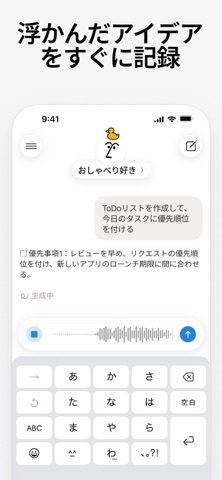
Notion Agentsと、いつでもどこでもチャット。 外出中でも、すべての接続済みツール、Notionのドキュメント、データベースやプロジェクトからすぐに回答を得られます。テキスト、音声、写真でアイデアを収集し、エージェントに整理を任せましょう。ページの作成、更新の下書き、接続済みツールを横断した検索などのアクションを、シンプルなチャットですばやく実行できます。 Notion Agentsを選ぶ理由 • あなたの仕事がわかる: Notionワークスペースやテックスタックと接続されているため、実際のドキュメントやデータに基づいた回答が提供されます。 • 何でもすぐに記録:アイデアをテキストで送信したり、写真の撮影や音声メモの録音もこなします。さらに、Notion Agentsは、それらをどこに分類すべきかを判断し、整理してくれます。 • どこでも利用できる:チームで共有しているカスタムエージェントとチャットして、どこにいても回答を得ることができ、タスクの選別やワークフローも実行できます。 • モデルを自由に使える:Claude、GPT、Geminiなど、主要なAI…
App details
What you can learn from Notion Agents
Every shipping app on the App Store has gone through the same decisions you're working through right now: which screenshot goes first, what caption sits over it, which device frame to show, what color the background should be. The 8 screenshots above are Notion Agents's answers to those questions — they're public, they're real, and they made it through Apple's review.
What the numbers say: Notion Agents runs a light set with one background colour (#F4F4F4) carried across every screenshot — the listing reads as a single poster when the shots sit side by side in search results. The accent colour we picked up, #2C84DC, is the one to reuse for badges, arrows and highlighted words if you borrow this look. Hit Use this style to open the editor with these exact colours and drop your own screenshot in.
Notice the first screenshot in particular. It's the one users see in search results and on the product page, and it's where most apps spend their best caption and tightest design. Look at the proportion of background to phone, where the text sits, what one thing the image is trying to communicate.
Want to see how other Productivity apps approach the same problem? Browse more Productivity apps in the showcase.
Take what works into your own screenshots
Open LaunchShots and design your App Store & Google Play screenshots — pick a device frame, drop captions, ship in minutes. Free, in your browser.
Open the screenshot editor →Apps with a similar look
Closest background + accent colours among the listings we've analysed — useful when you want to see the same palette handled by a different team.