Screenshots


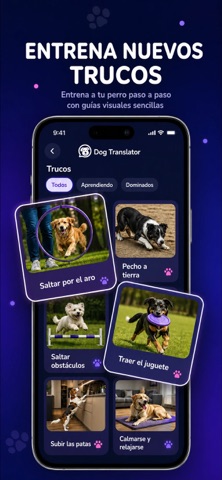


iPad screenshots


Icon palette
About this app
Esta aplicación es una herramienta complementaria integral para dueños de perros que desean administrar comandos de entrenamiento de mascotas, realizar un seguimiento de las actividades diarias y divertirse interactuando con sus amigos peludos. PREGUNTAS FRECUENTES P: ¿Qué puedo hacer con esta herramienta? R: Puedes organizar el cuidado diario de tu mascota, aprender nuevos métodos de entrenamiento y reproducir entretenidos módulos de audio para captar la atención de tu perro. P: ¿Realmente traduce el ladrido de mi perro? R: El simulador de voz está diseñado para entretenimiento. Puede grabar un ladrido y recibir una respuesta de texto simulada y divertida, o reproducir frases humanas convertidas en divertidos sonidos de perro. También guarda tu historial de traducción para que puedas escucharlo nuevamente o compartir los resultados más divertidos con amigos. P: ¿Es esta una herramienta…
App details
What you can learn from Wuff - Dog Translator
Every shipping app on the App Store has gone through the same decisions you're working through right now: which screenshot goes first, what caption sits over it, which device frame to show, what color the background should be. The 14 screenshots above are Wuff - Dog Translator's answers to those questions — they're public, they're real, and they made it through Apple's review.
Notice the first screenshot in particular. It's the one users see in search results and on the product page, and it's where most apps spend their best caption and tightest design. Look at the proportion of background to phone, where the text sits, what one thing the image is trying to communicate.
Want to see how other Reference apps approach the same problem? Browse more Reference apps in the showcase.
Take what works into your own screenshots
Open LaunchShots and design your App Store & Google Play screenshots — pick a device frame, drop captions, ship in minutes. Free, in your browser.
Open the screenshot editor →