Chart position — tracked daily by LaunchShots
Screenshot changes — detected by LaunchShots
Screenshot style breakdown
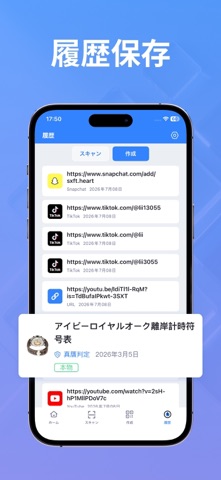
Sampled from 6 of QR & バーコード スキャナー Pro's App Store screenshots — background, accent and theme, measured by LaunchShots (not something Apple publishes).
#5C9CFC bg
#5089DD
#B49C74 accent
#111111 text
Reading the caption text from the screenshots in your browser…
Screenshots

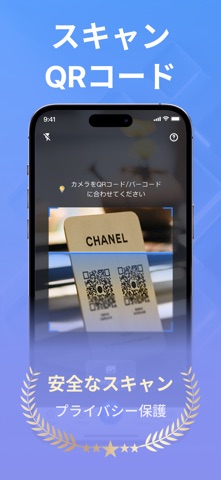
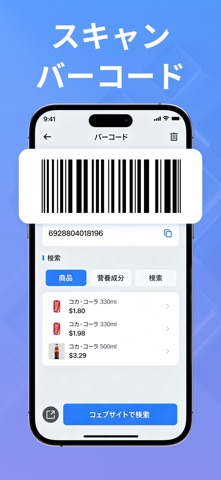
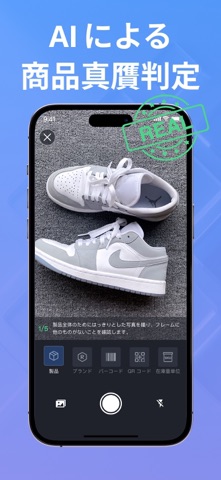
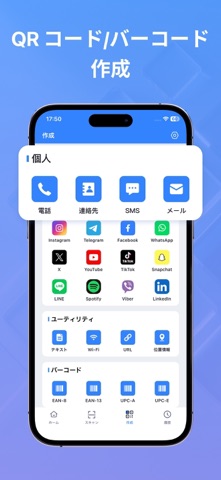

Icon palette
About this app
高速で簡単なQRコード&バーコードスキャナー&クリエイター。 最先端のQRコードおよびバーコードスキャン技術を発見:今すぐ無料ダウンロード! 割引を探したり、レストランのメニューをスキャンしたり、レビューを提出したり、製品のバーコードをスキャンして本物かどうか確認したり、オリジナルのカスタムQRコードを作成したりする際、私たちのスキャナーは毎回迅速で信頼性の高いパフォーマンスを提供します! 機能: 数秒で任意のコードを自動的に検出しスキャン! 商品のバーコード、クーポン、ラベルをスキャンして、最適なオファーを見つけ、過剰支出を避ける。 URL、連絡先、Wi-Fi、テキストのためのパーソナライズされたQRコードを作成し、個人またはビジネス用途に合わせて色をカスタマイズします。 AI Searchは、キャプチャしたあらゆるオブジェクトの情報を特定し検索するのに役立ちます。 製品の本物性をスキャンで確認(高級品、電子機器、日用品に最適)。 友人や家族と簡単にQRコードを共有して、安全で便利なブラウジングを楽しめます。 今すぐ…
App details
What you can learn from QR & バーコード スキャナー Pro
Every shipping app on the App Store has gone through the same decisions you're working through right now: which screenshot goes first, what caption sits over it, which device frame to show, what color the background should be. The 7 screenshots above are QR & バーコード スキャナー Pro's answers to those questions — they're public, they're real, and they made it through Apple's review.
What the numbers say: QR & バーコード スキャナー Pro runs a light set with one background colour (#5C9CFC) carried across every screenshot — the listing reads as a single poster when the shots sit side by side in search results. The accent colour we picked up, #B49C74, is the one to reuse for badges, arrows and highlighted words if you borrow this look. Hit Use this style to open the editor with these exact colours and drop your own screenshot in.
Notice the first screenshot in particular. It's the one users see in search results and on the product page, and it's where most apps spend their best caption and tightest design. Look at the proportion of background to phone, where the text sits, what one thing the image is trying to communicate.
Want to see how other Utilities apps approach the same problem? Browse more Utilities apps in the showcase.
Take what works into your own screenshots
Open LaunchShots and design your App Store & Google Play screenshots — pick a device frame, drop captions, ship in minutes. Free, in your browser.
Open the screenshot editor →Apps with a similar look
Closest background + accent colours among the listings we've analysed — useful when you want to see the same palette handled by a different team.