Chart position — tracked daily by LaunchShots
Screenshot style breakdown
Sampled from 6 of タイドスコープ - TideScope's App Store screenshots — background, accent and theme, measured by LaunchShots (not something Apple publishes).
#F4F4FC bg
#D6D6DD
#74ACDC accent
#111111 text
Reading the caption text from the screenshots in your browser…
Screenshots



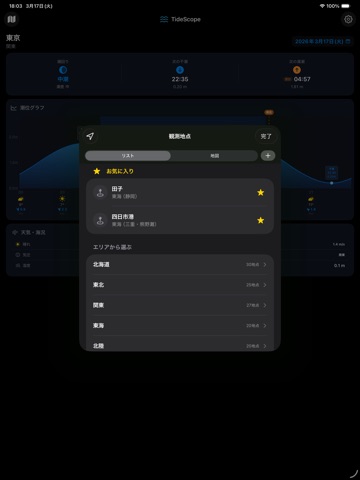
iPad screenshots

Icon palette
About this app
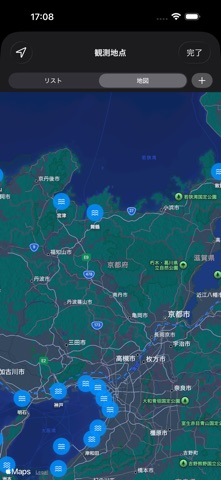
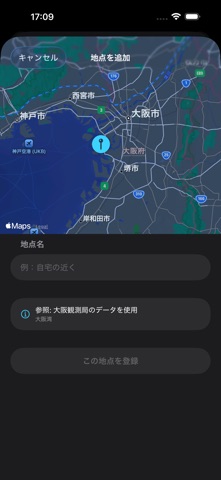
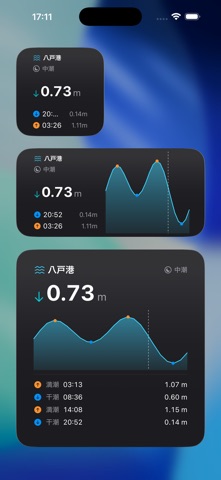
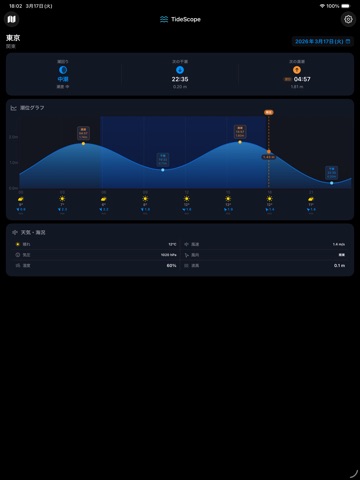
気象庁の全国238観測局のリアルタイム潮位データをもとに、現在の潮位・満潮・干潮をわかりやすく表示する潮位予報アプリです。 【主な機能】 • 全国238観測地点に対応(気象庁全観測局) • 現在の潮位をリアルタイム表示 • 満潮・干潮時刻と潮位高さを一覧表示 • 潮回り表示(大潮・中潮・小潮・長潮・若潮) • 潮位グラフ(天気・気温・風速付き) • 天気・波高・風速・気圧のリアルタイム表示 • GPSで最寄り観測地点を自動選択 • 地図から観測地点を選択 • お気に入り地点の登録・切り替え • カスタム地点の作成(任意の場所に最寄りの観測データを紐付け) • ライト/ダークモード対応 【ウィジェット対応】 ホーム画面に潮位ウィジェットを配置して、アプリを開かずに現在の潮位・次の干満時刻を確認できます。小・中・大の3サイズに対応。 【Apple Watch 対応】 手首で素早く潮位を確認。コンプリケーションにも対応し、文字盤から直接潮位をチェックできます。 【データについて】 潮位データは気象庁の潮位観測データを使用しています。 天気データは Ope…
App details
What you can learn from タイドスコープ - TideScope
Every shipping app on the App Store has gone through the same decisions you're working through right now: which screenshot goes first, what caption sits over it, which device frame to show, what color the background should be. The 10 screenshots above are タイドスコープ - TideScope's answers to those questions — they're public, they're real, and they made it through Apple's review.
What the numbers say: タイドスコープ - TideScope runs a mixed light-and-dark set where the background shifts from screenshot to screenshot (first shot #F4F4FC) — each image has to stand on its own, so the captions carry more of the story. The accent colour we picked up, #74ACDC, is the one to reuse for badges, arrows and highlighted words if you borrow this look. Hit Use this style to open the editor with these exact colours and drop your own screenshot in.
Notice the first screenshot in particular. It's the one users see in search results and on the product page, and it's where most apps spend their best caption and tightest design. Look at the proportion of background to phone, where the text sits, what one thing the image is trying to communicate.
Want to see how other Weather apps approach the same problem? Browse more Weather apps in the showcase.
Take what works into your own screenshots
Open LaunchShots and design your App Store & Google Play screenshots — pick a device frame, drop captions, ship in minutes. Free, in your browser.
Open the screenshot editor →Apps with a similar look
Closest background + accent colours among the listings we've analysed — useful when you want to see the same palette handled by a different team.