Chart position — tracked daily by LaunchShots
Screenshot style breakdown
Sampled from 6 of 椰子相机 - 打开就拍,拍完就发's App Store screenshots — background, accent and theme, measured by LaunchShots (not something Apple publishes).
#FCFCFC bg
#DDDDDD
#846454 accent
#111111 text
Screenshots
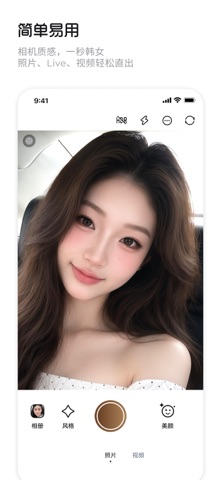
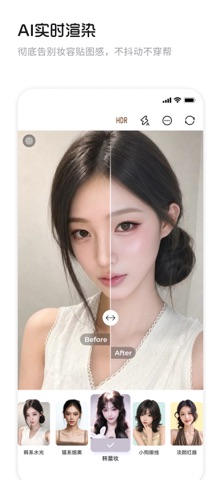

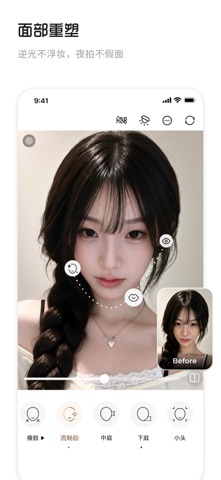
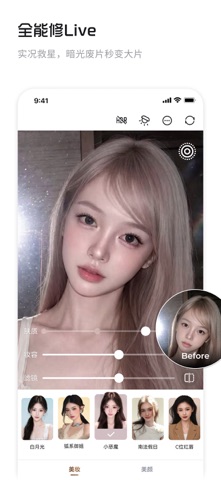

Icon palette
About this app
===核心功能=== 就是清晰就是真,自带超清妆效,细节完美贴面,重塑肌肤质感,一切所看即所得。 不做妆容贴图,纯AI实时测算拍摄环境并给出贴合面部结构的妆感,不掉妆不穿帮。 智能实时光线追踪,逆光不浮妆,夜拍不假面,满足你随时随地拿起即用。 === 场景应用 === 旅游出片零负担: 拒绝早起化妆两小时!原相机素颜直出网感全妆,旅行拍照多睡半小时 。 带妆大救星: 面对夏日脱妆、底妆斑驳卡粉,一键还原原生粉霜完美底妆。 跟风不翻车: 1:1无缝复刻热门爆款趋势妆,轻松自测本命妆容。 === 联系我们 === 有任何问题和建议,请及时和我们联系! 小红书:椰子相机 抖音:椰子相机 官方微信:coco-cam
App details
What you can learn from 椰子相机 - 打开就拍,拍完就发
Every shipping app on the App Store has gone through the same decisions you're working through right now: which screenshot goes first, what caption sits over it, which device frame to show, what color the background should be. The 6 screenshots above are 椰子相机 - 打开就拍,拍完就发's answers to those questions — they're public, they're real, and they made it through Apple's review.
What the numbers say: 椰子相机 - 打开就拍,拍完就发 runs a light set with one background colour (#FCFCFC) carried across every screenshot — the listing reads as a single poster when the shots sit side by side in search results. The accent colour we picked up, #846454, is the one to reuse for badges, arrows and highlighted words if you borrow this look. Hit Use this style to open the editor with these exact colours and drop your own screenshot in.
Notice the first screenshot in particular. It's the one users see in search results and on the product page, and it's where most apps spend their best caption and tightest design. Look at the proportion of background to phone, where the text sits, what one thing the image is trying to communicate.
Want to see how other Photo & Video apps approach the same problem? Browse more Photo & Video apps in the showcase.
Take what works into your own screenshots
Open LaunchShots and design your App Store & Google Play screenshots — pick a device frame, drop captions, ship in minutes. Free, in your browser.
Open the screenshot editor →Apps with a similar look
Closest background + accent colours among the listings we've analysed — useful when you want to see the same palette handled by a different team.