Screenshot changes — detected by LaunchShots
Screenshot style breakdown
Sampled from 5 of What the dog doing-Wooden fish's App Store screenshots — background, accent and theme, measured by LaunchShots (not something Apple publishes).
#FCFCFC bg
#DDDDDD
#D4944C accent
#111111 text
Reading the caption text from the screenshots in your browser…
Screenshots


iPad screenshots



Icon palette
About this app
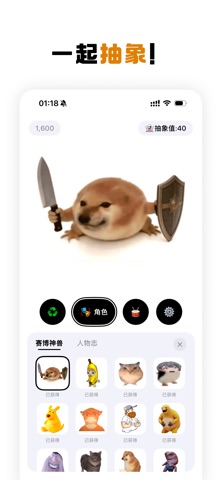
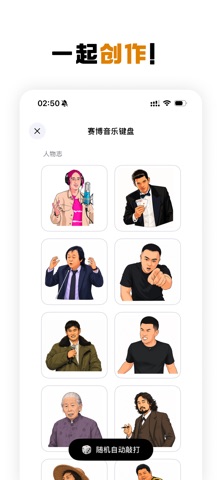
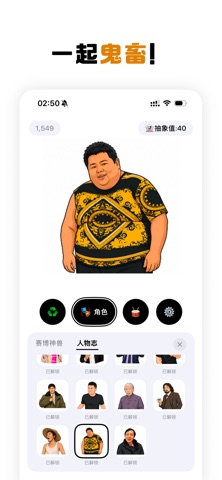
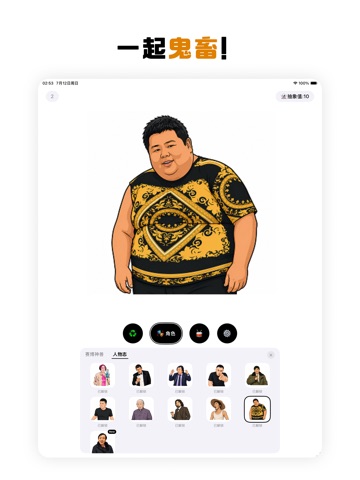
What the dog doing — A Chaotic, Hypnotic Collection of Cyber Creatures and Internet Oddballs Corn-Chip Cat, Bigfoot Chicken, Lao-Wu Cat, Crowd-Control Snail, Natasha, Laughing Milk Frog, What da Dog Doin’?, Bibi Labu, Baba Booey, Goo Goo Ga Ga, Wabby Wabbo, Meep, Xinjiang Pix-Pix Cat, Simpa, Check the Cards!, You’re Zhu Zhiwen!, Gazi Yogurt, That’s a Good Thing!, Melee Mage, Bottomless Belly—and more! The all-new My Sword & Shield is here! Tap each character to unleash its signature brainrot sound. Come unlock the entire cast! In the center of the screen stands a cute and silly character - tap it! It will emit mesmerizing sounds that will make you burst out laughing. The more you tap, the more addictive it becomes, you won't be able to stop. Key features: - Click on characters to play fun sound effects, with satisfying bouncy animations. - Switch between multiple silly characters,…
App details
What you can learn from What the dog doing-Wooden fish
Every shipping app on the App Store has gone through the same decisions you're working through right now: which screenshot goes first, what caption sits over it, which device frame to show, what color the background should be. The 10 screenshots above are What the dog doing-Wooden fish's answers to those questions — they're public, they're real, and they made it through Apple's review.
What the numbers say: What the dog doing-Wooden fish runs a light set with one background colour (#FCFCFC) carried across every screenshot — the listing reads as a single poster when the shots sit side by side in search results. The accent colour we picked up, #D4944C, is the one to reuse for badges, arrows and highlighted words if you borrow this look. Hit Use this style to open the editor with these exact colours and drop your own screenshot in.
Notice the first screenshot in particular. It's the one users see in search results and on the product page, and it's where most apps spend their best caption and tightest design. Look at the proportion of background to phone, where the text sits, what one thing the image is trying to communicate.
Want to see how other Music apps approach the same problem? Browse more Music apps in the showcase.
Take what works into your own screenshots
Open LaunchShots and design your App Store & Google Play screenshots — pick a device frame, drop captions, ship in minutes. Free, in your browser.
Open the screenshot editor →Apps with a similar look
Closest background + accent colours among the listings we've analysed — useful when you want to see the same palette handled by a different team.