Screenshot changes — detected by LaunchShots
Screenshot style breakdown
Sampled from 6 of TuViPro - Xem Tử Vi, Bói Tarot's App Store screenshots — background, accent and theme, measured by LaunchShots (not something Apple publishes).
#E45434 bg
#E76B50
#FCBC9C accent
#FFFFFF text
Screenshots

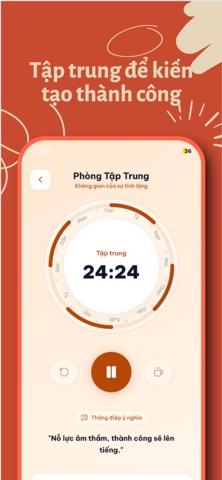
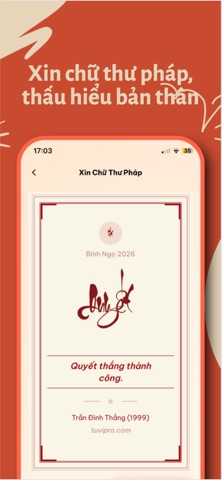
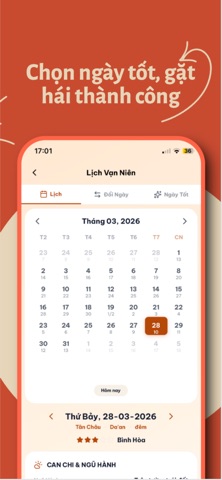

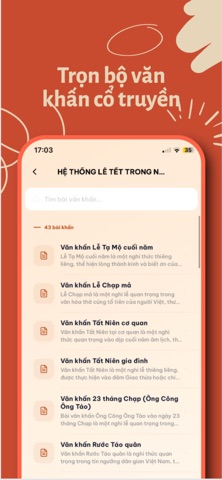


Icon palette
About this app
TuViPro – Hệ sinh thái Văn hóa, Tâm linh & Chăm sóc Tinh thần Toàn diện TuViPro mang đến một trải nghiệm cá nhân hóa sâu sắc, giúp bạn tìm thấy sự cân bằng và định hướng trong cuộc sống thông qua sự kết hợp độc đáo giữa trí tuệ cổ xưa và công nghệ hiện đại. TẠI SAO CHỌN TUVIPRO? 1. Kết nối Chuyên gia 1:1 (Expert Marketplace): Nền tảng kết nối trực tiếp với các chuyên gia thực thụ về Tử vi, Tarot, Tâm lý và Phong thủy. Chat trực tuyến để nhận lời khuyên sâu sắc, riêng biệt cho từng vấn đề cá nhân của bạn. 2. Hệ thống Luận giải Tử Vi Đẩu Số Chuyên sâu: Không chỉ dừng lại ở việc lập lá số, Tuvipro sở hữu thuật toán luận giải độc quyền, mang đến cái nhìn đa tầng về bản mệnh: Phân tích Thập nhị cung: Luận giải chi tiết sự tương tác của hàng trăm định tinh và phụ tinh tại 12 cung (Mệnh, Quan, Tài, Di, Phúc...). Đại vận & Tiểu vận: Dự báo chi tiết các biến động lớn nhỏ theo từng 10 năm và…
App details
What you can learn from TuViPro - Xem Tử Vi, Bói Tarot
Every shipping app on the App Store has gone through the same decisions you're working through right now: which screenshot goes first, what caption sits over it, which device frame to show, what color the background should be. The 8 screenshots above are TuViPro - Xem Tử Vi, Bói Tarot's answers to those questions — they're public, they're real, and they made it through Apple's review.
What the numbers say: TuViPro - Xem Tử Vi, Bói Tarot runs a dark set with one background colour (#E45434) carried across every screenshot — the listing reads as a single poster when the shots sit side by side in search results. The accent colour we picked up, #FCBC9C, is the one to reuse for badges, arrows and highlighted words if you borrow this look. Hit Use this style to open the editor with these exact colours and drop your own screenshot in.
Notice the first screenshot in particular. It's the one users see in search results and on the product page, and it's where most apps spend their best caption and tightest design. Look at the proportion of background to phone, where the text sits, what one thing the image is trying to communicate.
Want to see how other Reference apps approach the same problem? Browse more Reference apps in the showcase.
Take what works into your own screenshots
Open LaunchShots and design your App Store & Google Play screenshots — pick a device frame, drop captions, ship in minutes. Free, in your browser.
Open the screenshot editor →Apps with a similar look
Closest background + accent colours among the listings we've analysed — useful when you want to see the same palette handled by a different team.