Chart position — tracked daily by LaunchShots
Screenshot style breakdown
Sampled from 5 of HELLO! MUSEUM's App Store screenshots — background, accent and theme, measured by LaunchShots (not something Apple publishes).
#040404 bg
#272727
#048CFC accent
#FFFFFF text
Screenshots

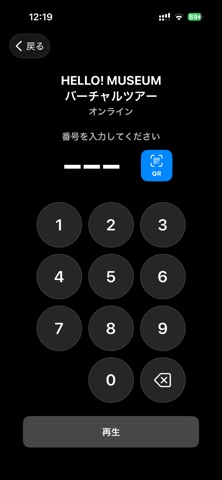
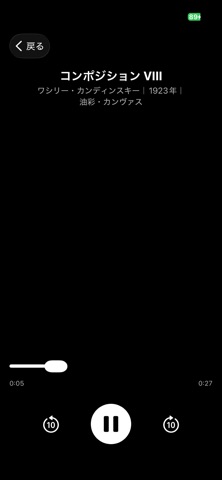

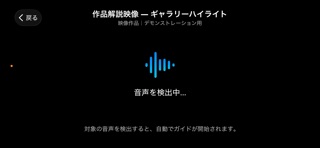
iPad screenshots


Icon palette
About this app
HELLO! MUSEUMは、美術館・博物館・展示会をより深く楽しむための音声・字幕ガイドアプリです。専用機器のレンタルは不要。お手持ちのスマートフォンとイヤホンだけで、いつでもどこでもガイドをお楽しみいただけます。 ◆ かんたん3ステップ 会場でチェックイン 作品の前にある展示番号をテンキーで入力 再生ボタンを押すだけ — 音声や字幕で解説をお楽しみください ◆ 主な機能 ・音声ガイド — 音声による作品解説 ・字幕ガイド — 字幕で鑑賞をサポート ・映像同期 — 映像の進行に合わせて字幕・音声を自動同期 ・多言語対応 — 日本語・英語をはじめ、展覧会ごとに複数言語をサポート ・オフライン再生 — ガイドデータをダウンロードすれば、通信環境がない会場でも利用可能 ・バリアフリー対応 ◆ こんな方におすすめ ・イベント、美術館や博物館をもっと深く楽しみたい方 ・音声ガイド機器のレンタルに並びたくない方 ・母国語の解説を聴きたい方 ・お子様と一緒に作品について学びたいご家族 ◆ オフライン対応で安心 展示会番号の入力時にガイドデータをダウン…
App details
What you can learn from HELLO! MUSEUM
Every shipping app on the App Store has gone through the same decisions you're working through right now: which screenshot goes first, what caption sits over it, which device frame to show, what color the background should be. The 10 screenshots above are HELLO! MUSEUM's answers to those questions — they're public, they're real, and they made it through Apple's review.
What the numbers say: HELLO! MUSEUM runs a dark set with one background colour (#040404) carried across every screenshot — the listing reads as a single poster when the shots sit side by side in search results. The accent colour we picked up, #048CFC, is the one to reuse for badges, arrows and highlighted words if you borrow this look. Hit Use this style to open the editor with these exact colours and drop your own screenshot in.
Notice the first screenshot in particular. It's the one users see in search results and on the product page, and it's where most apps spend their best caption and tightest design. Look at the proportion of background to phone, where the text sits, what one thing the image is trying to communicate.
Want to see how other Utilities apps approach the same problem? Browse more Utilities apps in the showcase.
Take what works into your own screenshots
Open LaunchShots and design your App Store & Google Play screenshots — pick a device frame, drop captions, ship in minutes. Free, in your browser.
Open the screenshot editor →Apps with a similar look
Closest background + accent colours among the listings we've analysed — useful when you want to see the same palette handled by a different team.