Chart position — tracked daily by LaunchShots
Screenshot style breakdown
Sampled from 6 of 机战:钢铁巨舰's App Store screenshots — background, accent and theme, measured by LaunchShots (not something Apple publishes).
#04040C bg
#27272E
#3C4C6C accent
#FFFFFF text
Screenshots
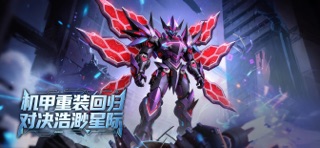

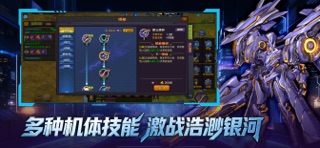

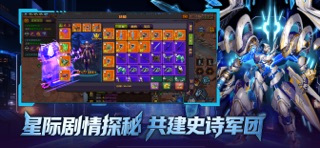

iPad screenshots

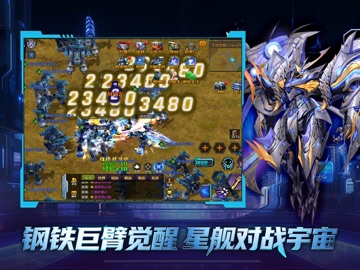


Icon palette
About this app
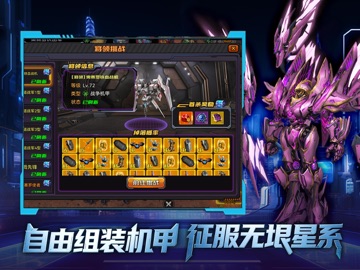
以硬核科幻机甲为主题,融合了自由组装、策略对战、军团组建与星际探索的大型多人在线游戏。在这里,您将不再是故事的旁观者,而是驾驶专属机甲,亲手书写银河传奇的缔造者! 【核心特色】 1、自由组装,打造独一无二的战争机器 2、沉浸战斗,空陆一体全域作战 3、星际沙盘,加入宏大的宇宙叙事 4、星舰崛起,为荣耀而集结 【游戏亮点】 1、次世代视觉呈现:采用尖端引擎技术,呈现从机甲金属质感、武器粒子光效到宇宙深空景象的电影级画面! 2、深度策略与成长:丰富的技能树、指挥官养成线与军团科技体系,提供多维度的策略深度与长期成长目标! 3、探秘星际史诗剧情: 揭开远古文明陨落之谜,对抗强大的星际海盗与未知宇宙生命!
App details
What you can learn from 机战:钢铁巨舰
Every shipping app on the App Store has gone through the same decisions you're working through right now: which screenshot goes first, what caption sits over it, which device frame to show, what color the background should be. The 12 screenshots above are 机战:钢铁巨舰's answers to those questions — they're public, they're real, and they made it through Apple's review.
What the numbers say: 机战:钢铁巨舰 runs a dark set with one background colour (#04040C) carried across every screenshot — the listing reads as a single poster when the shots sit side by side in search results. The accent colour we picked up, #3C4C6C, is the one to reuse for badges, arrows and highlighted words if you borrow this look. Hit Use this style to open the editor with these exact colours and drop your own screenshot in.
Notice the first screenshot in particular. It's the one users see in search results and on the product page, and it's where most apps spend their best caption and tightest design. Look at the proportion of background to phone, where the text sits, what one thing the image is trying to communicate.
Want to see how other Games apps approach the same problem? Browse more Games apps in the showcase.
Take what works into your own screenshots
Open LaunchShots and design your App Store & Google Play screenshots — pick a device frame, drop captions, ship in minutes. Free, in your browser.
Open the screenshot editor →Apps with a similar look
Closest background + accent colours among the listings we've analysed — useful when you want to see the same palette handled by a different team.