Chart position — tracked daily by LaunchShots
Screenshot style breakdown
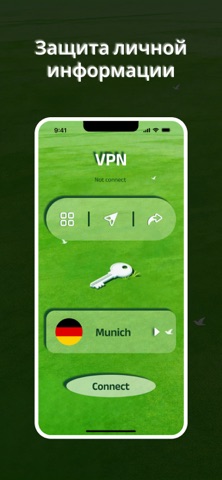
Sampled from 4 of VPN - Glow VPN Wind's App Store screenshots — background, accent and theme, measured by LaunchShots (not something Apple publishes).
#142C04 bg
#344927
#4CA414 accent
#FFFFFF text
Reading the caption text from the screenshots in your browser…
Screenshots



Icon palette
About this app
Glow VPN Wind — противоположность тяжёлому. Никаких панелей со статистикой, которую всё равно не читают. Никаких всплывающих окон про «премиум-сервер» каждые три экрана. Открыли — включилось, соединение приватное, и дальше приложение просто не мешает, пока вы сами его не закроете. Хорошо ведёт себя в дороге. Переключение между мобильным интернетом и Wi-Fi, вход в метро, бортовой интернет в самолёте — Glow переподключается в фоне, вы не сидите и не смотрите на крутящийся индикатор. Собственно, это и весь смысл. Подписка Автопродление, списание с Apple ID при подтверждении. Продлевается, если не отменить за 24 часа до конца периода. Управление — в настройках App Store. Приватность: https://zoologicalco.com/privacy Условия: https://zoologicalco.com/terms
App details
What you can learn from VPN - Glow VPN Wind
Every shipping app on the App Store has gone through the same decisions you're working through right now: which screenshot goes first, what caption sits over it, which device frame to show, what color the background should be. The 4 screenshots above are VPN - Glow VPN Wind's answers to those questions — they're public, they're real, and they made it through Apple's review.
What the numbers say: VPN - Glow VPN Wind runs a dark set with one background colour (#142C04) carried across every screenshot — the listing reads as a single poster when the shots sit side by side in search results. The accent colour we picked up, #4CA414, is the one to reuse for badges, arrows and highlighted words if you borrow this look. Hit Use this style to open the editor with these exact colours and drop your own screenshot in.
Notice the first screenshot in particular. It's the one users see in search results and on the product page, and it's where most apps spend their best caption and tightest design. Look at the proportion of background to phone, where the text sits, what one thing the image is trying to communicate.
Want to see how other Productivity apps approach the same problem? Browse more Productivity apps in the showcase.
Take what works into your own screenshots
Open LaunchShots and design your App Store & Google Play screenshots — pick a device frame, drop captions, ship in minutes. Free, in your browser.
Open the screenshot editor →Apps with a similar look
Closest background + accent colours among the listings we've analysed — useful when you want to see the same palette handled by a different team.