Chart position — tracked daily by LaunchShots
Screenshot style breakdown
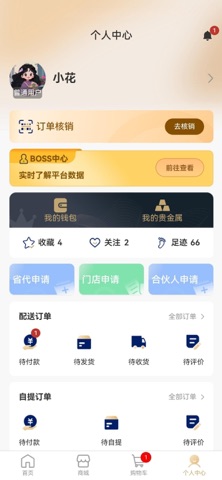
Sampled from 5 of 融通金官方商城's App Store screenshots — background, accent and theme, measured by LaunchShots (not something Apple publishes).
#FCFCFC bg
#DDDDDD
#B42424 accent
#111111 text
Reading the caption text from the screenshots in your browser…
Screenshots


Icon palette
About this app
【融通金官方商城】提供贵金属理财优选。 -价格优势:依托产业优势,工费低至0.35元起。 -成色纯正:纯度高达99.995%,源头品质保障。 -交易便利:线上订购,线下提货/邮寄,回购便捷。 -稳健理财:资产配置“压舱石”,应对市场波动。 -资讯社群:每日更新贵金属行业资讯,一键加入微信社群,享专属福利与私域服务。 无论您是珠宝商家还是个人投资者,融通金APP为您提供从行情查看、资讯获取到产品购买的全链路服务。下载体验,开启贵金属投资新方式。
App details
What you can learn from 融通金官方商城
Every shipping app on the App Store has gone through the same decisions you're working through right now: which screenshot goes first, what caption sits over it, which device frame to show, what color the background should be. The 5 screenshots above are 融通金官方商城's answers to those questions — they're public, they're real, and they made it through Apple's review.
What the numbers say: 融通金官方商城 runs a light set with one background colour (#FCFCFC) carried across every screenshot — the listing reads as a single poster when the shots sit side by side in search results. The accent colour we picked up, #B42424, is the one to reuse for badges, arrows and highlighted words if you borrow this look. Hit Use this style to open the editor with these exact colours and drop your own screenshot in.
Notice the first screenshot in particular. It's the one users see in search results and on the product page, and it's where most apps spend their best caption and tightest design. Look at the proportion of background to phone, where the text sits, what one thing the image is trying to communicate.
Want to see how other Shopping apps approach the same problem? Browse more Shopping apps in the showcase.
Take what works into your own screenshots
Open LaunchShots and design your App Store & Google Play screenshots — pick a device frame, drop captions, ship in minutes. Free, in your browser.
Open the screenshot editor →Apps with a similar look
Closest background + accent colours among the listings we've analysed — useful when you want to see the same palette handled by a different team.