Screenshot style breakdown
Sampled from 5 of 人人影视迷—影迷影视库's App Store screenshots — background, accent and theme, measured by LaunchShots (not something Apple publishes).
#040404 bg
#272727
#342C6C accent
#FFFFFF text
Reading the caption text from the screenshots in your browser…
Screenshots


Icon palette
About this app
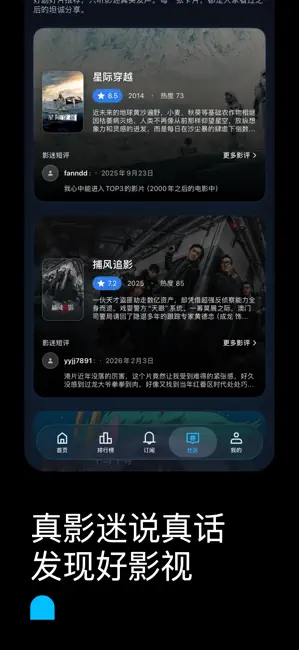
人人是影迷是一款专为影迷打造的影视发现与私人影库应用。 当你不知道今天看什么,或不知道今天该从哪里开始了解最新影视讯息时,今日影视希望成为你的第一入口,帮助你快速发现值得关注的影片、剧集与影视动态。 首页聚合全球趋势、正在热映、热门高分作品及即将上映片单,让你第一时间掌握最新影视资讯。排行榜支持按今日、本周、本月及总榜自由切换,轻松发现当下最受关注的热门作品与高口碑内容。 通过订阅提醒与上映档期结合,及时获取关注作品的上映与更新信息,减少漏片,让每一份期待都不错过。 搜索功能覆盖影片、剧集及影人信息,支持历史记录管理与一键清理,查找内容更加高效便捷。 社区模块汇集来自 The Movie Database(TMDB)用户的短评与口碑反馈,帮助你在观影前快速了解作品评价与讨论热度。 详情页集中呈现作品的剧情简介、类型标签、演职员阵容、预告内容及相似推荐,为影迷提供更加完整、直观的影视信息浏览体验。 在“我的”页面中,你可以自由管理收藏、待看清单与自定义主题片单,按类型、题材或个人喜好整理专属影库。 特色纪念票根功…
App details
What you can learn from 人人影视迷—影迷影视库
Every shipping app on the App Store has gone through the same decisions you're working through right now: which screenshot goes first, what caption sits over it, which device frame to show, what color the background should be. The 5 screenshots above are 人人影视迷—影迷影视库's answers to those questions — they're public, they're real, and they made it through Apple's review.
What the numbers say: 人人影视迷—影迷影视库 runs a dark set with one background colour (#040404) carried across every screenshot — the listing reads as a single poster when the shots sit side by side in search results. The accent colour we picked up, #342C6C, is the one to reuse for badges, arrows and highlighted words if you borrow this look. Hit Use this style to open the editor with these exact colours and drop your own screenshot in.
Notice the first screenshot in particular. It's the one users see in search results and on the product page, and it's where most apps spend their best caption and tightest design. Look at the proportion of background to phone, where the text sits, what one thing the image is trying to communicate.
Want to see how other Reference apps approach the same problem? Browse more Reference apps in the showcase.
Take what works into your own screenshots
Open LaunchShots and design your App Store & Google Play screenshots — pick a device frame, drop captions, ship in minutes. Free, in your browser.
Open the screenshot editor →Apps with a similar look
Closest background + accent colours among the listings we've analysed — useful when you want to see the same palette handled by a different team.