Chart position — tracked daily by LaunchShots
Screenshot changes — detected by LaunchShots
Screenshot style breakdown
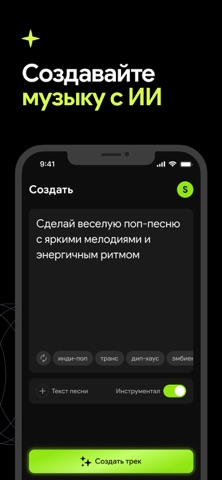
Sampled from 6 of Orphix: ИИ музыка и песни's App Store screenshots — background, accent and theme, measured by LaunchShots (not something Apple publishes).
#040404 bg
#272727
#E4FC6C accent
#FFFFFF text
Screenshots



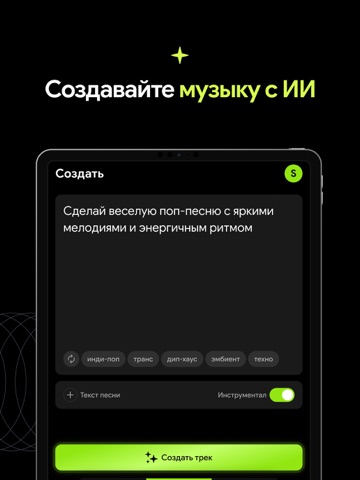
iPad screenshots



Icon palette
About this app
Создавайте оригинальную музыку с помощью ИИ за секунды. Orphix помогает превращать идеи в песни, биты и вокал всего за несколько нажатий. Хотите создать полноценный трек, поэкспериментировать с новым звучанием или быстро зафиксировать музыкальную идею — Orphix делает этот процесс быстрым, простым и вдохновляющим. От цепляющих мелодий до атмосферных инструменталов — Orphix открывает удобный способ создавать музыку без студии, сложных программ и профессиональных навыков продакшна. Что можно делать в Orphix: Создавать песни по текстовому запросу Генерировать биты, мелодии и вокал Исследовать разные жанры, настроения и стили Превращать идеи в оригинальные треки за секунды Экспериментировать с музыкальными концепциями Создавать музыку для контента, вдохновения и удовольствия Orphix подойдёт создателям контента, музыкантам, любителям экспериментов и всем, кто хочет быстро создавать что-т…
App details
What you can learn from Orphix: ИИ музыка и песни
Every shipping app on the App Store has gone through the same decisions you're working through right now: which screenshot goes first, what caption sits over it, which device frame to show, what color the background should be. The 12 screenshots above are Orphix: ИИ музыка и песни's answers to those questions — they're public, they're real, and they made it through Apple's review.
What the numbers say: Orphix: ИИ музыка и песни runs a dark set with one background colour (#040404) carried across every screenshot — the listing reads as a single poster when the shots sit side by side in search results. The accent colour we picked up, #E4FC6C, is the one to reuse for badges, arrows and highlighted words if you borrow this look. Hit Use this style to open the editor with these exact colours and drop your own screenshot in.
Notice the first screenshot in particular. It's the one users see in search results and on the product page, and it's where most apps spend their best caption and tightest design. Look at the proportion of background to phone, where the text sits, what one thing the image is trying to communicate.
Want to see how other Music apps approach the same problem? Browse more Music apps in the showcase.
Take what works into your own screenshots
Open LaunchShots and design your App Store & Google Play screenshots — pick a device frame, drop captions, ship in minutes. Free, in your browser.
Open the screenshot editor →Apps with a similar look
Closest background + accent colours among the listings we've analysed — useful when you want to see the same palette handled by a different team.