Chart position — tracked daily by LaunchShots
Screenshot style breakdown
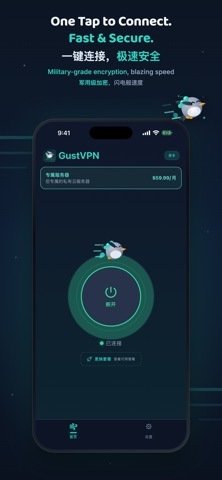
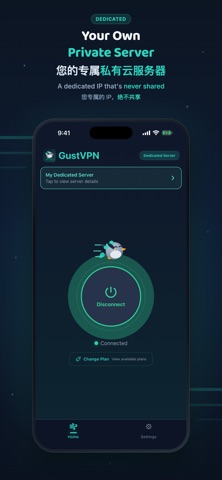
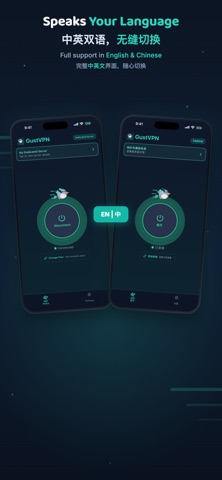
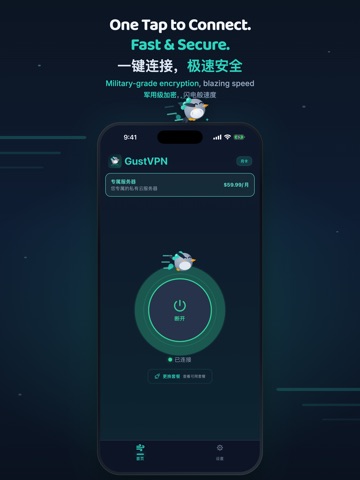
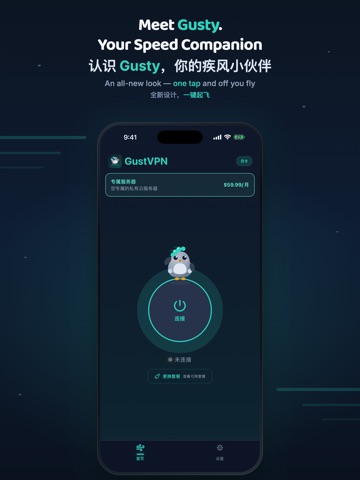
Sampled from 6 of GustVPN's App Store screenshots — background, accent and theme, measured by LaunchShots (not something Apple publishes).
#0C1424 bg
#2E3442
#3C5C6C accent
#FFFFFF text
Screenshots



iPad screenshots



Icon palette
About this app
GustVPN 让您一键获得更安全、更快速、更私密的网络体验。几秒连接,即可安心看视频、浏览网页、打游戏、视频通话、网银、购物,在咖啡馆、机场、酒店、高铁和飞机上使用公共 Wi-Fi 也多一份保护。为日常使用而生:无需复杂设置,不记日志、不追踪、不出售数据。想要独享体验?订阅“专属服务器”后,我们将为您配置一台专属 VPN 服务器,独享 IP、独享带宽,购买后几分钟即可使用,还可随时在应用内一键重建服务器,获得全新 IP。 按需选择:日卡、周卡、月卡、季卡、年卡或专属服务器。购买确认后,费用将通过 Apple ID 扣除;订阅会自动续期,除非在当前周期结束前至少 24 小时取消;您可随时在 Apple ID 账户设置中管理或取消订阅。 服务条款(EULA):https://gustnetwork.com/terms 隐私政策:https://gustnetwork.com/privacy GustVPN gives you safer, faster, more private internet in one tap. Connect in seconds and stay protected while streaming, browsing, gaming, calling, banking, and shopping, whether at home or on public Wi-Fi in cafes,…
App details
What you can learn from GustVPN
Every shipping app on the App Store has gone through the same decisions you're working through right now: which screenshot goes first, what caption sits over it, which device frame to show, what color the background should be. The 12 screenshots above are GustVPN's answers to those questions — they're public, they're real, and they made it through Apple's review.
What the numbers say: GustVPN runs a dark set with one background colour (#0C1424) carried across every screenshot — the listing reads as a single poster when the shots sit side by side in search results. The accent colour we picked up, #3C5C6C, is the one to reuse for badges, arrows and highlighted words if you borrow this look. Hit Use this style to open the editor with these exact colours and drop your own screenshot in.
Notice the first screenshot in particular. It's the one users see in search results and on the product page, and it's where most apps spend their best caption and tightest design. Look at the proportion of background to phone, where the text sits, what one thing the image is trying to communicate.
Want to see how other Utilities apps approach the same problem? Browse more Utilities apps in the showcase.
Take what works into your own screenshots
Open LaunchShots and design your App Store & Google Play screenshots — pick a device frame, drop captions, ship in minutes. Free, in your browser.
Open the screenshot editor →Apps with a similar look
Closest background + accent colours among the listings we've analysed — useful when you want to see the same palette handled by a different team.