Chart position — tracked daily by LaunchShots
Screenshot style breakdown
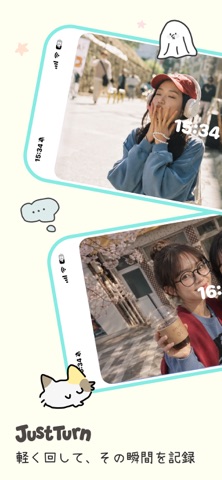
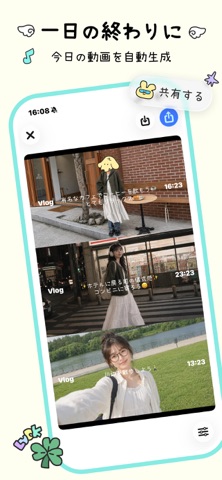
Sampled from 5 of Logus – プライベート動画日記・minivlog's App Store screenshots — background, accent and theme, measured by LaunchShots (not something Apple publishes).
#FCFCF4 bg
#DDDDD6
#84ECE4 accent
#111111 text
Screenshots



Icon palette
About this app
ソーシャルのプレッシャーなし ひとりでも気軽にVlog記録 2秒Vlogで、日常の一瞬を残す 同じ一日でも、すべての瞬間を記録 気軽に日々を記録して、いつでもVlogとして書き出せる サブスクリプションについて: • お支払いは購入確認時に Apple ID アカウントに請求されます • 現在の期間終了の少なくとも24時間前までにキャンセルしない限り、サブスクリプションは自動更新されます • 更新料金は現在の期間終了前24時間以内にアカウントに請求されます • App Store のアカウント設定からサブスクリプションを管理またはキャンセルできます • 無料トライアルが提供されている場合、サブスクリプション購入後、未使用分は失効します 利用規約: https://www.emmo.club/logus/terms.html プライバシーポリシー: https://www.emmo.club/logus/privacy.html
App details
What you can learn from Logus – プライベート動画日記・minivlog
Every shipping app on the App Store has gone through the same decisions you're working through right now: which screenshot goes first, what caption sits over it, which device frame to show, what color the background should be. The 5 screenshots above are Logus – プライベート動画日記・minivlog's answers to those questions — they're public, they're real, and they made it through Apple's review.
What the numbers say: Logus – プライベート動画日記・minivlog runs a light set with one background colour (#FCFCF4) carried across every screenshot — the listing reads as a single poster when the shots sit side by side in search results. The accent colour we picked up, #84ECE4, is the one to reuse for badges, arrows and highlighted words if you borrow this look. Hit Use this style to open the editor with these exact colours and drop your own screenshot in.
Notice the first screenshot in particular. It's the one users see in search results and on the product page, and it's where most apps spend their best caption and tightest design. Look at the proportion of background to phone, where the text sits, what one thing the image is trying to communicate.
Want to see how other Social Networking apps approach the same problem? Browse more Social Networking apps in the showcase.
Take what works into your own screenshots
Open LaunchShots and design your App Store & Google Play screenshots — pick a device frame, drop captions, ship in minutes. Free, in your browser.
Open the screenshot editor →Apps with a similar look
Closest background + accent colours among the listings we've analysed — useful when you want to see the same palette handled by a different team.