Chart position — tracked daily by LaunchShots
Screenshot changes — detected by LaunchShots
Screenshot style breakdown
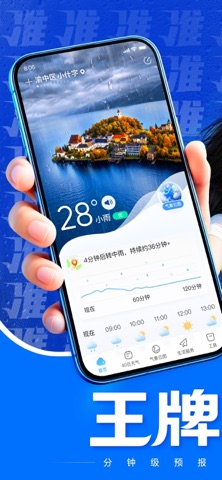
Sampled from 6 of 王牌天气-准准准's App Store screenshots — background, accent and theme, measured by LaunchShots (not something Apple publishes).
#0474FC bg
#2787FC
#143CAC accent
#FFFFFF text
Screenshots



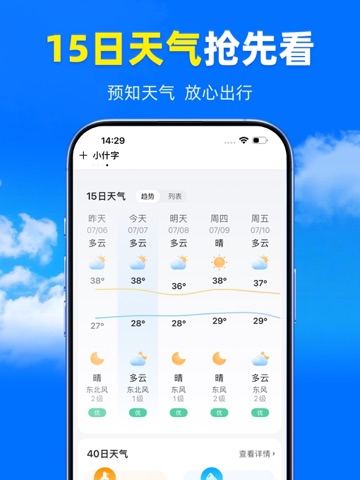
iPad screenshots



Icon palette
About this app
天气不止是数字,更是生活的节奏。 我们依托气象局数据,结合智能算法,为您提前感知每一刻的风雨冷暖。从下一小时的突发阵雨,到未来40天的气温走势,再到实时空气质量与生活指数——我们帮您看得更远,也护得更细。 您将获得: 精准到公里级 —— 温度、降水、风力,预报细化至小时与所在街区,值得托付。 时间跨度全覆盖 —— 24小时短时预报 + 40天长期趋势,出行、旅行、换季,一手掌握。 一目了然的视觉设计 —— 复杂气象数据化作清晰图表与动态画面,扫一眼即知晴雨,从容安排每一天。 让天气不再成为意外,而是您生活里最可靠的默契。从此出行有道,冷暖随心。
App details
What you can learn from 王牌天气-准准准
Every shipping app on the App Store has gone through the same decisions you're working through right now: which screenshot goes first, what caption sits over it, which device frame to show, what color the background should be. The 10 screenshots above are 王牌天气-准准准's answers to those questions — they're public, they're real, and they made it through Apple's review.
What the numbers say: 王牌天气-准准准 runs a dark set with one background colour (#0474FC) carried across every screenshot — the listing reads as a single poster when the shots sit side by side in search results. The accent colour we picked up, #143CAC, is the one to reuse for badges, arrows and highlighted words if you borrow this look. Hit Use this style to open the editor with these exact colours and drop your own screenshot in.
Notice the first screenshot in particular. It's the one users see in search results and on the product page, and it's where most apps spend their best caption and tightest design. Look at the proportion of background to phone, where the text sits, what one thing the image is trying to communicate.
Want to see how other Weather apps approach the same problem? Browse more Weather apps in the showcase.
Take what works into your own screenshots
Open LaunchShots and design your App Store & Google Play screenshots — pick a device frame, drop captions, ship in minutes. Free, in your browser.
Open the screenshot editor →Apps with a similar look
Closest background + accent colours among the listings we've analysed — useful when you want to see the same palette handled by a different team.