Chart position — tracked daily by LaunchShots
Screenshot style breakdown
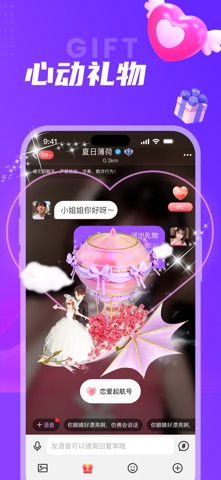
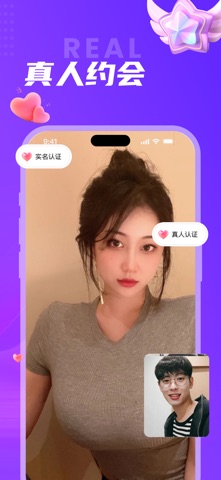
Sampled from 5 of 同城夜聊-约会附近的人同城附近交友约会软件's App Store screenshots — background, accent and theme, measured by LaunchShots (not something Apple publishes).
#7C34FC bg
#8E50FC
#BC7CFC accent
#FFFFFF text
Screenshots



Icon palette
About this app
同城夜聊,年轻人都爱用的恋爱交友平台,单身男女结婚、恋爱、相亲、甜蜜约会、同城交友、聊天首选的移动即时通讯工具,平台注重用户的真实性,尽可能为用户营造温馨甜蜜、洁净的社交环境。 已有超过千万用户在同城夜聊找到心仪的另一半,不想再孤单无聊,那就赶紧下载同城夜聊嗨起来吧! 【同城交友】发现附近优质的TA,搭讪秒回复 【缤纷动态】新奇事物早知道,兴趣相投早邂逅 【群聊派对】丰富多彩的兴趣派对,总会遇到有共鸣的一群人! 【恋爱约会】真实用户,真人认证,安全可靠,拒绝虚假!
App details
What you can learn from 同城夜聊-约会附近的人同城附近交友约会软件
Every shipping app on the App Store has gone through the same decisions you're working through right now: which screenshot goes first, what caption sits over it, which device frame to show, what color the background should be. The 5 screenshots above are 同城夜聊-约会附近的人同城附近交友约会软件's answers to those questions — they're public, they're real, and they made it through Apple's review.
What the numbers say: 同城夜聊-约会附近的人同城附近交友约会软件 runs a mixed light-and-dark set where the background shifts from screenshot to screenshot (first shot #7C34FC) — each image has to stand on its own, so the captions carry more of the story. The accent colour we picked up, #BC7CFC, is the one to reuse for badges, arrows and highlighted words if you borrow this look. Hit Use this style to open the editor with these exact colours and drop your own screenshot in.
Notice the first screenshot in particular. It's the one users see in search results and on the product page, and it's where most apps spend their best caption and tightest design. Look at the proportion of background to phone, where the text sits, what one thing the image is trying to communicate.
Want to see how other Social Networking apps approach the same problem? Browse more Social Networking apps in the showcase.
Take what works into your own screenshots
Open LaunchShots and design your App Store & Google Play screenshots — pick a device frame, drop captions, ship in minutes. Free, in your browser.
Open the screenshot editor →Apps with a similar look
Closest background + accent colours among the listings we've analysed — useful when you want to see the same palette handled by a different team.