Chart position — tracked daily by LaunchShots
Screenshot changes — detected by LaunchShots
Screenshot style breakdown
Sampled from 6 of Moises:音乐人应用's App Store screenshots — background, accent and theme, measured by LaunchShots (not something Apple publishes).
#64A4B4 bg
#58909E
#0C3C54 accent
#111111 text
Screenshots
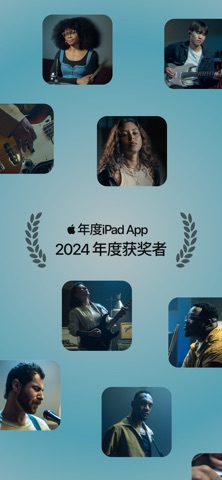


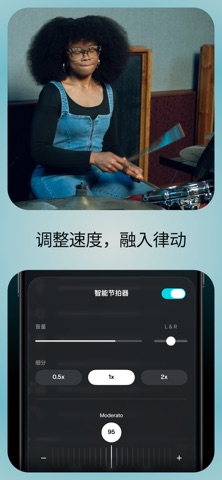


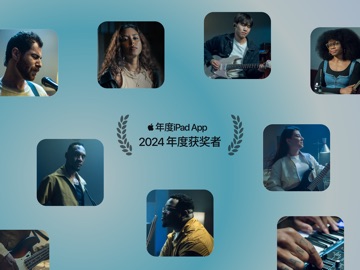
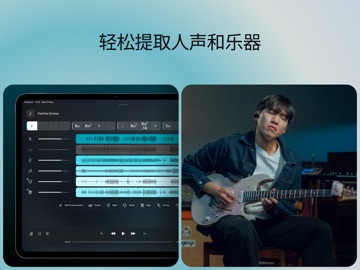
iPad screenshots




Icon palette
About this app
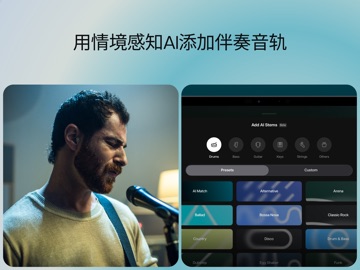
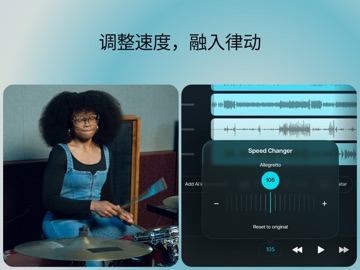
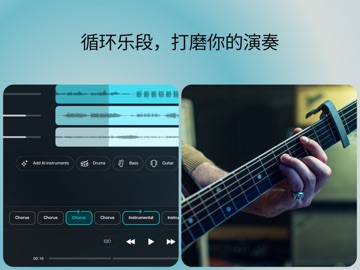
音乐人专用的人声分离工具,可创建吉他、鼓件、钢琴、人声与贝斯音轨。借助AI技术,根据需要提取或移除人声及乐器音轨,更可随心控制调式与速度,轻松演奏心仪歌曲。 通过吉他谱、智能节拍器及AI混音器,从容处理和弦与音轨。立即使用我们的AI工具提取音轨或移除人声,加入音乐创作的行列。 为音乐创作者、吉他手、音频爱好者及普通音乐人量身打造的专业功能: - AI音频分离:轻松分离歌曲中的人声及鼓件、吉他、贝斯、钢琴、弦乐等乐器音轨。无论需要移除人声还是生成伴奏,Moises都可利落完成。 - 智能节拍器:跟随歌曲节拍,生成节拍器音轨。 - AI歌词转录:将歌词转录为文本,支持英语、西班牙语、葡萄牙语、法语和意大利语,适用于制作卡拉OK伴奏。 - AI和弦检测:生成吉他谱与和弦谱,助你流畅演奏。支持初级、中级和高级和弦检测。 - 速度控制器:自动检测并显示BPM,还可一键加速或减速,助你轻松掌握复杂乐段。 - 音高控制器:轻松调整音高,找到舒适音域。适用于卡拉OK练习。 - AI调式检测:智能检测并调整歌曲调式,可迅速将和弦移调至12种不同音调…
App details
What you can learn from Moises:音乐人应用
Every shipping app on the App Store has gone through the same decisions you're working through right now: which screenshot goes first, what caption sits over it, which device frame to show, what color the background should be. The 20 screenshots above are Moises:音乐人应用's answers to those questions — they're public, they're real, and they made it through Apple's review.
What the numbers say: Moises:音乐人应用 runs a mixed light-and-dark set where the background shifts from screenshot to screenshot (first shot #64A4B4) — each image has to stand on its own, so the captions carry more of the story. The accent colour we picked up, #0C3C54, is the one to reuse for badges, arrows and highlighted words if you borrow this look. Hit Use this style to open the editor with these exact colours and drop your own screenshot in.
Notice the first screenshot in particular. It's the one users see in search results and on the product page, and it's where most apps spend their best caption and tightest design. Look at the proportion of background to phone, where the text sits, what one thing the image is trying to communicate.
Want to see how other Music apps approach the same problem? Browse more Music apps in the showcase.
Take what works into your own screenshots
Open LaunchShots and design your App Store & Google Play screenshots — pick a device frame, drop captions, ship in minutes. Free, in your browser.
Open the screenshot editor →Apps with a similar look
Closest background + accent colours among the listings we've analysed — useful when you want to see the same palette handled by a different team.