Screenshot style breakdown
Sampled from 6 of 斗罗大陆:传承's App Store screenshots — background, accent and theme, measured by LaunchShots (not something Apple publishes).
#1C244C bg
#3B4265
#6C5C94 accent
#FFFFFF text
Screenshots



Icon palette
About this app
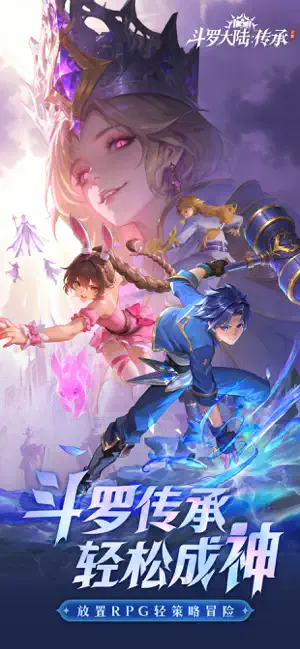
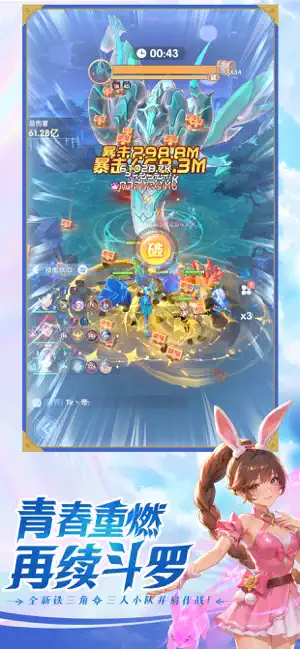
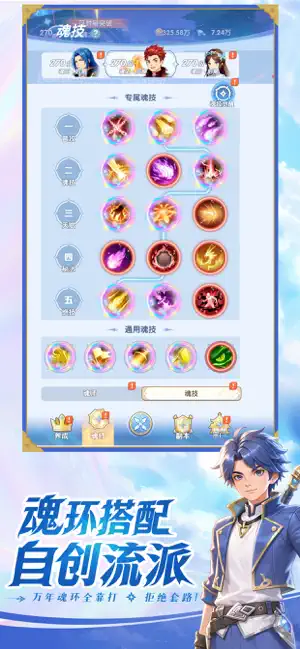
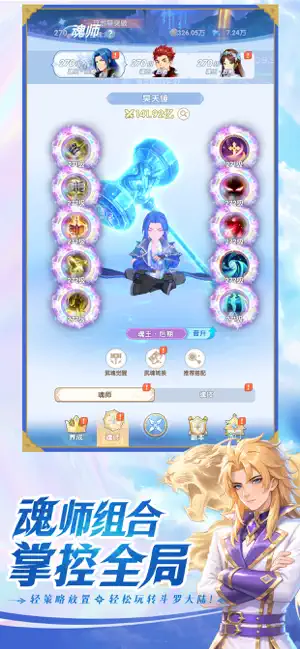
《斗罗大陆:传承》是一款正版IP授权的放置RPG手游,带你重返经典斗罗世界。 【一人饰多角,爽感拉满】 游戏采用多人小队战斗模式,一人操控多角色,自创流派,经典魂师悉数登场,重现原著中的名场面与高燃战斗。多人并肩作战的感觉,就像亲自走进斗罗世界! 【魂师 × 武魂,联动战力加倍】 以魂师与武魂为核心养成体系进行战斗,不同武魂属性、定位与魂技之间可产生多样化的魂师组合效果。合理搭配输出、控制与辅助魂师,即可激活强力联动,在战斗中打出意想不到的策略表现。 【轻松不爆肝,离线也能变强】 离线也能持续成长,养成轻松无压力。不需要高强度操作,也不用反复肝图,只要合理搭配多人阵容,就能打出超预期的爽快战斗体验。 【放置养成,轻松成长】 登录即送强力魂灵与稀有武魂资源,日常活动奖励丰厚,新手也能快速组建理想阵容。 无论是研究武魂搭配、魂师组合策略,还是享受轻松放置的成长乐趣,《斗罗大陆:传承》都能让你畅享原汁原味的斗罗冒险体验。
App details
What you can learn from 斗罗大陆:传承
Every shipping app on the App Store has gone through the same decisions you're working through right now: which screenshot goes first, what caption sits over it, which device frame to show, what color the background should be. The 7 screenshots above are 斗罗大陆:传承's answers to those questions — they're public, they're real, and they made it through Apple's review.
What the numbers say: 斗罗大陆:传承 runs a mixed light-and-dark set where the background shifts from screenshot to screenshot (first shot #1C244C) — each image has to stand on its own, so the captions carry more of the story. The accent colour we picked up, #6C5C94, is the one to reuse for badges, arrows and highlighted words if you borrow this look. Hit Use this style to open the editor with these exact colours and drop your own screenshot in.
Notice the first screenshot in particular. It's the one users see in search results and on the product page, and it's where most apps spend their best caption and tightest design. Look at the proportion of background to phone, where the text sits, what one thing the image is trying to communicate.
Want to see how other Games apps approach the same problem? Browse more Games apps in the showcase.
Take what works into your own screenshots
Open LaunchShots and design your App Store & Google Play screenshots — pick a device frame, drop captions, ship in minutes. Free, in your browser.
Open the screenshot editor →Apps with a similar look
Closest background + accent colours among the listings we've analysed — useful when you want to see the same palette handled by a different team.