Chart position — tracked daily by LaunchShots
Screenshot style breakdown
Sampled from 6 of StageDiary ステージダイアリー - 観劇記録's App Store screenshots — background, accent and theme, measured by LaunchShots (not something Apple publishes).
#5C1424 bg
#723442
#C4C47C accent
#FFFFFF text
Reading the caption text from the screenshots in your browser…
Screenshots





iPad screenshots




Icon palette
About this app
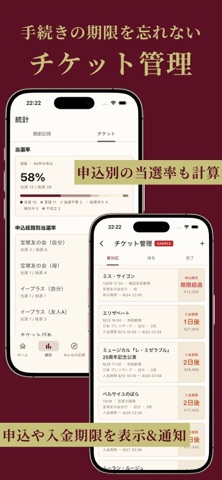
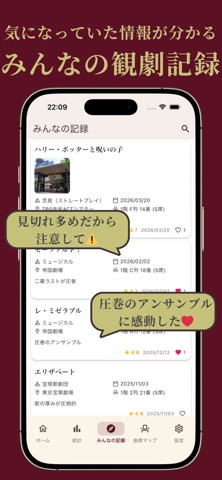
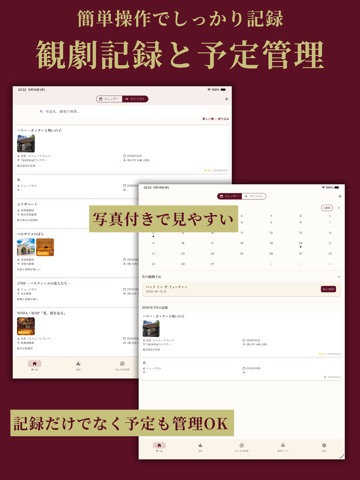
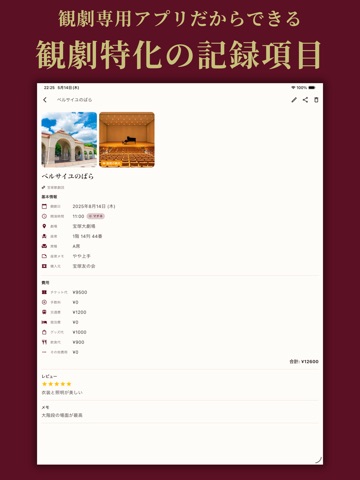
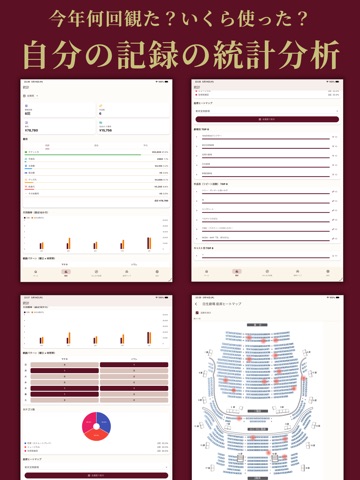
Stage Diary は、ミュージカル・演劇・2.5次元・宝塚・劇団四季・歌舞伎・ダンス・ライブ・コンサートなどの観劇記録と、チケットの申込管理ができるアプリです。 観た作品、劇場、日時、座席、チケット代、感想、写真をまとめて保存できます。 「どの公演を観たか」だけでなく、「どの席から観たか」「どんな気持ちで観たか」「いくら使ったか」まで記録できるので、観劇の思い出をあとから振り返りやすくなります。 観劇回数やチケット代の合計なども自動で集計。 月ごとの観劇ペースや費用の変化を確認できるため、自分の観劇スタイルを把握したい人にも便利です。 座席マップに対応している劇場では、座席をより直感的に記録できます。 手入力だけでは忘れがちな「何階・何列・何番」の情報も整理しやすく、同じ劇場に何度も通う人や、座席ごとの見え方を残したい人にも向いています。 ホーム画面ウィジェットにも対応。 次の観劇までの残り日数や、過去の観劇の思い出、今年・今月の観劇ペースを、アプリを開かなくてもホーム画面でさっと確認できます。 観…
App details
What you can learn from StageDiary ステージダイアリー - 観劇記録
Every shipping app on the App Store has gone through the same decisions you're working through right now: which screenshot goes first, what caption sits over it, which device frame to show, what color the background should be. The 18 screenshots above are StageDiary ステージダイアリー - 観劇記録's answers to those questions — they're public, they're real, and they made it through Apple's review.
What the numbers say: StageDiary ステージダイアリー - 観劇記録 runs a dark set with one background colour (#5C1424) carried across every screenshot — the listing reads as a single poster when the shots sit side by side in search results. The accent colour we picked up, #C4C47C, is the one to reuse for badges, arrows and highlighted words if you borrow this look. Hit Use this style to open the editor with these exact colours and drop your own screenshot in.
Notice the first screenshot in particular. It's the one users see in search results and on the product page, and it's where most apps spend their best caption and tightest design. Look at the proportion of background to phone, where the text sits, what one thing the image is trying to communicate.
Want to see how other Lifestyle apps approach the same problem? Browse more Lifestyle apps in the showcase.
Take what works into your own screenshots
Open LaunchShots and design your App Store & Google Play screenshots — pick a device frame, drop captions, ship in minutes. Free, in your browser.
Open the screenshot editor →Apps with a similar look
Closest background + accent colours among the listings we've analysed — useful when you want to see the same palette handled by a different team.