Screenshot style breakdown
Sampled from 6 of Clira: スワイプ&メディアをクリーン's App Store screenshots — background, accent and theme, measured by LaunchShots (not something Apple publishes).
#4C7CFC bg
#658EFC
#1C2C64 accent
#FFFFFF text
Screenshots


Icon palette
About this app
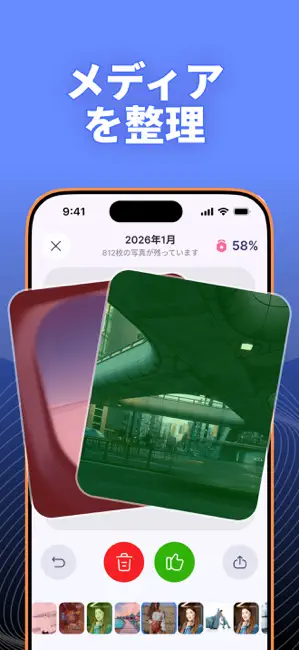
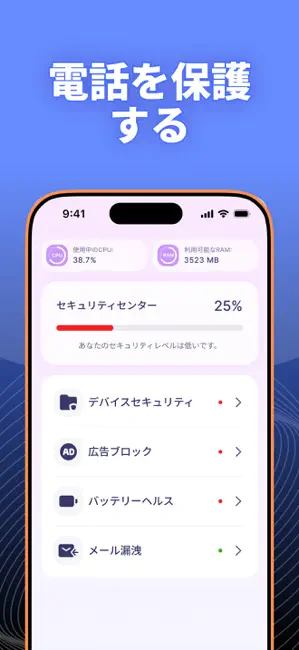
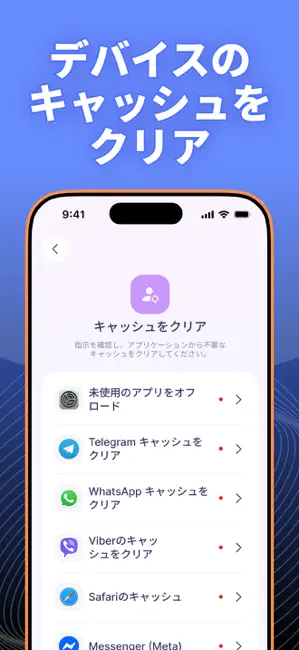
Clira — iPhoneクリーナー&ストレージ整理 Cliraは、iPhoneのストレージを簡単に整理・クリーニングできるアプリです。重複写真の削除、ギャラリー整理、連絡先のクリーンアップなどをシンプルに行えます。 似た写真や古い動画、不要なスクリーンショット、重複した連絡先でストレージがいっぱいでも、Cliraなら簡単に整理できます。 主な機能 • 写真・動画クリーナー 重複写真を検索して削除 類似画像を検出 大容量動画を整理 不要なスクリーンショットを削除 • スワイプ整理 写真を月別・年別に確認。 右スワイプで保存 左スワイプで削除 進行状況をリアルタイム表示 • 連絡先整理 重複連絡先を統合 不完全な連絡先を検索 アドレス帳を整理 • カレンダー整理 古い不要な予定を削除。 • キャッシュ削除ガイド 人気SNSやメッセンジャーアプリのキャッシュ削除方法を紹介。 • セキュリティセンター 広告ブロック機能 iOSの最新状態を確認 パスコード設定を確認 バッテリー寿命を延ばすヒント メールアドレスの漏洩チェック • iPhone活用ヒント iPhoneを…
App details
What you can learn from Clira: スワイプ&メディアをクリーン
Every shipping app on the App Store has gone through the same decisions you're working through right now: which screenshot goes first, what caption sits over it, which device frame to show, what color the background should be. The 6 screenshots above are Clira: スワイプ&メディアをクリーン's answers to those questions — they're public, they're real, and they made it through Apple's review.
What the numbers say: Clira: スワイプ&メディアをクリーン runs a dark set with one background colour (#4C7CFC) carried across every screenshot — the listing reads as a single poster when the shots sit side by side in search results. The accent colour we picked up, #1C2C64, is the one to reuse for badges, arrows and highlighted words if you borrow this look. Hit Use this style to open the editor with these exact colours and drop your own screenshot in.
Notice the first screenshot in particular. It's the one users see in search results and on the product page, and it's where most apps spend their best caption and tightest design. Look at the proportion of background to phone, where the text sits, what one thing the image is trying to communicate.
Want to see how other Utilities apps approach the same problem? Browse more Utilities apps in the showcase.
Take what works into your own screenshots
Open LaunchShots and design your App Store & Google Play screenshots — pick a device frame, drop captions, ship in minutes. Free, in your browser.
Open the screenshot editor →Apps with a similar look
Closest background + accent colours among the listings we've analysed — useful when you want to see the same palette handled by a different team.