Screenshot changes — detected by LaunchShots
Screenshot style breakdown
Sampled from 5 of 青页小说阅读器·TXT/EPUB/漫画's App Store screenshots — background, accent and theme, measured by LaunchShots (not something Apple publishes).
#F4F4EC bg
#D6D6CF
#5CA45C accent
#111111 text
Reading the caption text from the screenshots in your browser…
Screenshots


iPad screenshots



Icon palette
About this app
青页小说阅读器是一款纯本地的阅读器:小说、漫画、PDF 一个 App 读完,还能把文字听出来。无需注册、没有广告,阅读不需要联网。所有内容都是你自己导入的文件,青页不提供任何书籍或漫画来源。 【本地小说】 • TXT 自动识别编码,几十 MB 的长篇也能快速打开;EPUB 保留目录、插图与排版,支持固定版式、竖排与从右到左,并记住章内位置 • 还能导入 MOBI / AZW3、DOCX、FB2、HTML、RTF 和 Markdown,可一次选多本,也可在文件 App 里用「打开方式」送进来 • 净化规则:去掉广告行、替换错字,只改显示,不动原文件 • 每本书可单独设置字号、行距和翻页方式;日间 / 夜间 / 护眼多主题 • 自动记忆进度,章节目录、全文搜索、书签、高亮与笔记,书架分组与搜索 【漫画】 • 导入 CBZ / ZIP、图片版 MOBI / AZW3、纯图片 EPUB 或图片文件夹,不占双份空间 • 左到右、右到左(日漫)和上下条漫三种阅读方式,双击或捏合缩放 • 页码滑杆与缩略图快速跳页 • 同系列自动归组,读完一卷自动进入下一卷 • Pro:横屏双页、自动裁白边、宽页拆成两页、锐化与黑白滤镜 【PDF …
App details
What you can learn from 青页小说阅读器·TXT/EPUB/漫画
Every shipping app on the App Store has gone through the same decisions you're working through right now: which screenshot goes first, what caption sits over it, which device frame to show, what color the background should be. The 10 screenshots above are 青页小说阅读器·TXT/EPUB/漫画's answers to those questions — they're public, they're real, and they made it through Apple's review.
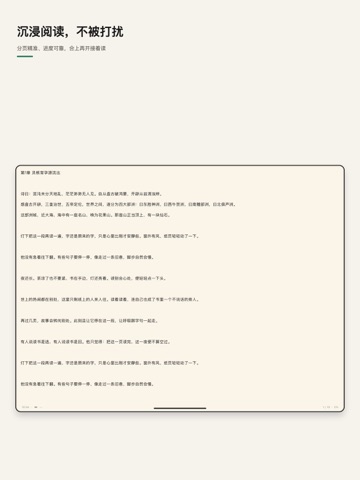
What the numbers say: 青页小说阅读器·TXT/EPUB/漫画 runs a light set with one background colour (#F4F4EC) carried across every screenshot — the listing reads as a single poster when the shots sit side by side in search results. The accent colour we picked up, #5CA45C, is the one to reuse for badges, arrows and highlighted words if you borrow this look. Hit Use this style to open the editor with these exact colours and drop your own screenshot in.
Notice the first screenshot in particular. It's the one users see in search results and on the product page, and it's where most apps spend their best caption and tightest design. Look at the proportion of background to phone, where the text sits, what one thing the image is trying to communicate.
Want to see how other Book apps approach the same problem? Browse more Book apps in the showcase.
Take what works into your own screenshots
Open LaunchShots and design your App Store & Google Play screenshots — pick a device frame, drop captions, ship in minutes. Free, in your browser.
Open the screenshot editor →Apps with a similar look
Closest background + accent colours among the listings we've analysed — useful when you want to see the same palette handled by a different team.