Screenshots


Icon palette
About this app
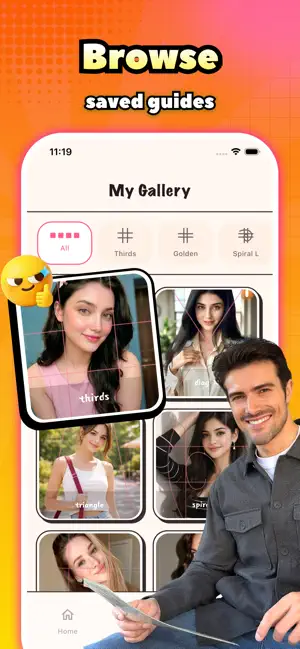
Feniva is your personal composition coach, built to help you understand and apply photography framing techniques. Whether you're learning the basics or refining your eye, import any photo or capture one directly to analyze it with 17 professional composition guides, including the rule of thirds, golden ratio, Fibonacci spiral, diagonals, and more. Customize line color, thickness, and transparency for a clearer view of how strong compositions are built. Save analyzed images to the gallery, organize them by guide type, and add voice notes to capture your observations. Revisit your collection anytime to reinforce what you've learned, track your progress, and turn every photo into a practical composition lesson.
App details
What you can learn from Feniva
Every shipping app on the App Store has gone through the same decisions you're working through right now: which screenshot goes first, what caption sits over it, which device frame to show, what color the background should be. The 3 screenshots above are Feniva's answers to those questions — they're public, they're real, and they made it through Apple's review.
Notice the first screenshot in particular. It's the one users see in search results and on the product page, and it's where most apps spend their best caption and tightest design. Look at the proportion of background to phone, where the text sits, what one thing the image is trying to communicate.
Want to see how other Social Networking apps approach the same problem? Browse more Social Networking apps in the showcase.
Take what works into your own screenshots
Open LaunchShots and design your App Store & Google Play screenshots — pick a device frame, drop captions, ship in minutes. Free, in your browser.
Open the screenshot editor →