Screenshot changes — detected by LaunchShots
Screenshot style breakdown
Sampled from 3 of いなりんPay's App Store screenshots — background, accent and theme, measured by LaunchShots (not something Apple publishes).
#F4F4F4 bg
#D6D6D6
#7CA4D4 accent
#111111 text
Screenshots


iPad screenshots
Icon palette
About this app
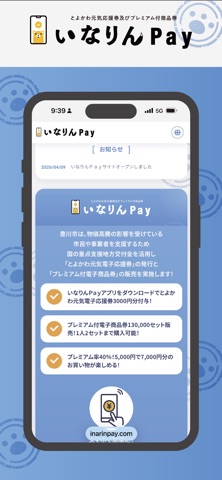
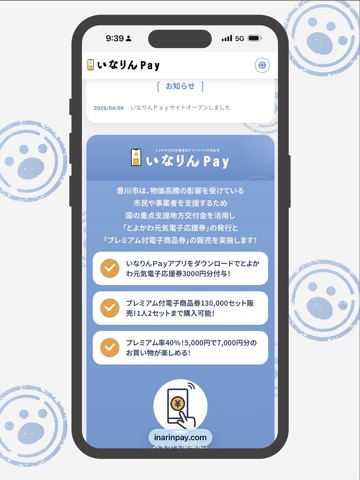
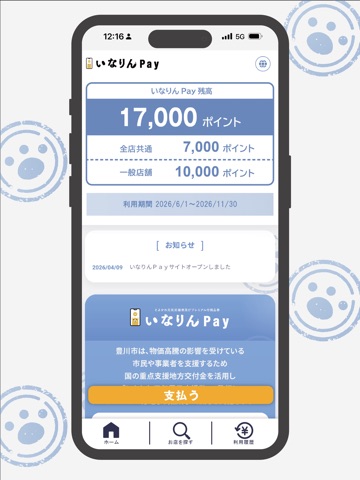
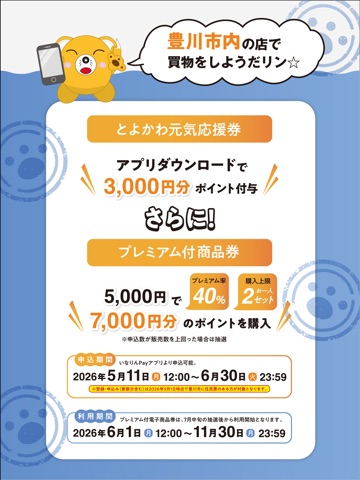
いなりんPayは、豊川市内の利用店舗で「とよかわ元気電子応援券」と「プレミアム付電子商品券」をスマートフォンで利用できるアプリです。 「とよかわ元気電子応援券」は、アプリをダウンロードし、必要事項を入力することでポイントが付与されます。「プレミアム付電子商品券」は、購入希望数を入力し、クレジットカードまたはコンビニエンスストアで決済することでポイントがチャージされます。申込数が販売数を上回った場合は抽選販売となります。 (注意事項) ・このアプリはインターネットに接続します。インターネットに接続できない場合はご利用いただくことができません。 ・アプリの利用には通信料がかかります。 ・スマホを機種変更した際は、新しい端末でアプリをインストール後、機種変更前に使用していたメールアドレスとパスワードでログインしてください。 認証されますと新しい端末に引き継ぐことができます(残高も引き継がれます)。 ・他のアプリを同時に起動すると、メモリ容量が大きくなり、正常に作動しない場合があります。
App details
What you can learn from いなりんPay
Every shipping app on the App Store has gone through the same decisions you're working through right now: which screenshot goes first, what caption sits over it, which device frame to show, what color the background should be. The 6 screenshots above are いなりんPay's answers to those questions — they're public, they're real, and they made it through Apple's review.
What the numbers say: いなりんPay runs a light set where the background shifts from screenshot to screenshot (first shot #F4F4F4) — each image has to stand on its own, so the captions carry more of the story. The accent colour we picked up, #7CA4D4, is the one to reuse for badges, arrows and highlighted words if you borrow this look. Hit Use this style to open the editor with these exact colours and drop your own screenshot in.
Notice the first screenshot in particular. It's the one users see in search results and on the product page, and it's where most apps spend their best caption and tightest design. Look at the proportion of background to phone, where the text sits, what one thing the image is trying to communicate.
Want to see how other Shopping apps approach the same problem? Browse more Shopping apps in the showcase.
Take what works into your own screenshots
Open LaunchShots and design your App Store & Google Play screenshots — pick a device frame, drop captions, ship in minutes. Free, in your browser.
Open the screenshot editor →Apps with a similar look
Closest background + accent colours among the listings we've analysed — useful when you want to see the same palette handled by a different team.