Screenshots


Icon palette
About this app
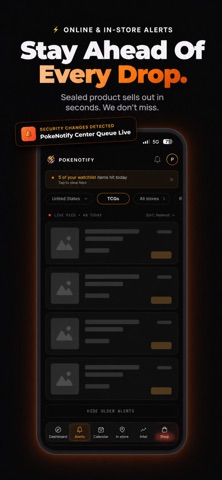
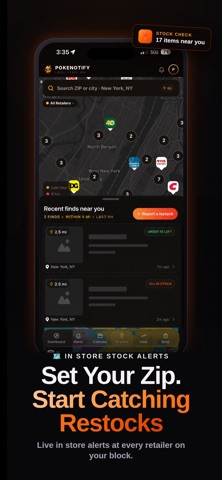
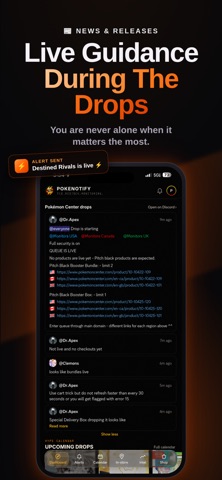
The drop happens. PokeNotify tells you where and when. Track TCG products across 100+ retailers with fast online restock alerts, nearby in-store reports, release calendars, and personalized notifications—all in one app. Built by collectors who were tired of constantly refreshing product pages and digging through crowded notification channels. FAST ONLINE RESTOCK ALERTS Get a push notification when supported products go live, return to stock, or enter a queue. Open the alert and head directly to the product listing. PokeNotify brings updates from supported retailers into one organized feed, helping you react quickly when the products you want become available. ALERTS BUILT AROUND YOU Choose the games, products, retailers, prices, and locations that matter to you. • Follow specific TCGs and product categories • Filter by retailer and product type • Set price limits • Mute alerts y…
App details
What you can learn from PokeNotify: TCG Restock Alerts
Every shipping app on the App Store has gone through the same decisions you're working through right now: which screenshot goes first, what caption sits over it, which device frame to show, what color the background should be. The 5 screenshots above are PokeNotify: TCG Restock Alerts's answers to those questions — they're public, they're real, and they made it through Apple's review.
Notice the first screenshot in particular. It's the one users see in search results and on the product page, and it's where most apps spend their best caption and tightest design. Look at the proportion of background to phone, where the text sits, what one thing the image is trying to communicate.
Want to see how other Reference apps approach the same problem? Browse more Reference apps in the showcase.
Take what works into your own screenshots
Open LaunchShots and design your App Store & Google Play screenshots — pick a device frame, drop captions, ship in minutes. Free, in your browser.
Open the screenshot editor →