Screenshot style breakdown
Sampled from 5 of ワラウおでかけ - 歩いてチェックインで貯まるポイ活アプリ's App Store screenshots — background, accent and theme, measured by LaunchShots (not something Apple publishes).
#FCFCFC bg
#DDDDDD
#54F4DC accent
#111111 text
Screenshots

Icon palette
About this app
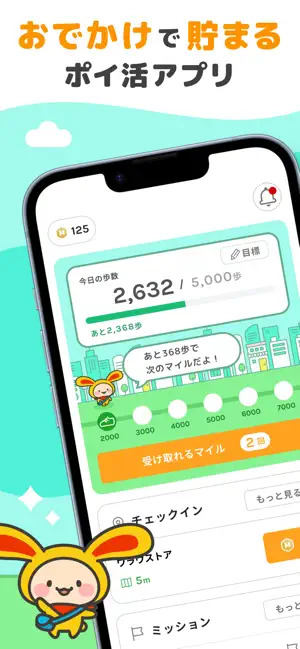
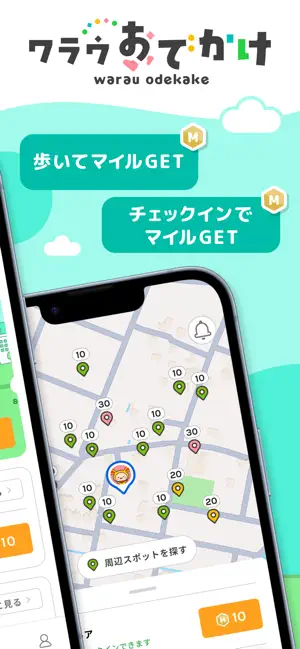
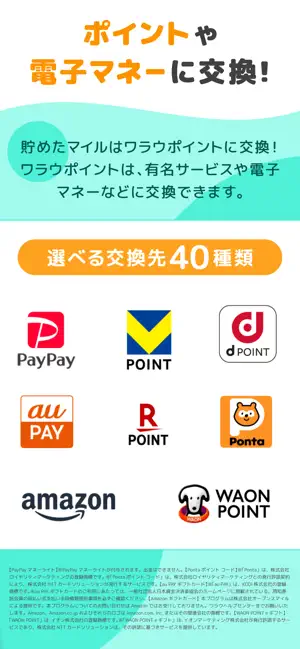
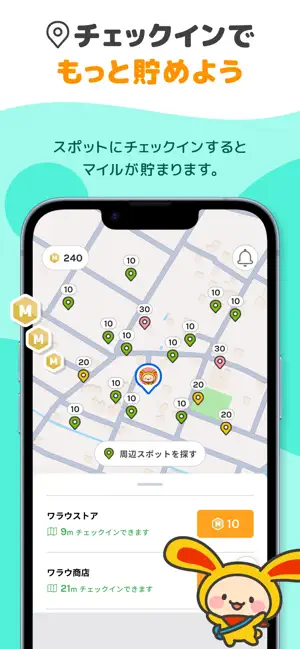
おでかけで、マイルが貯まる! 「ワラウおでかけ」は、毎日のお散歩や特定のスポットへのチェックインでマイルが貯まる、完全無料のポイ活アプリです。 貯めたマイルは、100マイル=1円相当としてポイントサイト『ワラウ』の「ワラウポイント」に交換でき、PayPayやAmazonギフト券、dポイントなど40種類の人気の交換先から選択可能です。 通勤・通学やお買い物、毎日のおでかけが、もっと楽しく、もっとお得になります! ■ ワラウおでかけの特徴 1. 歩くだけでマイルが貯まる! ・ 1,000歩歩くごとにマイルを獲得できます。 ・ 獲得時に短い動画広告を視聴すると、もらえるマイルが大幅にアップ! ・ iOSの「ヘルスケア」と連携するため、アプリを閉じていても自動で歩数が計測されます。 2. いつもの場所で「チェックイン」! ・ マップ上に表示されるスポットに近づき(約50m以内)、チェックインするだけでマイルが貯まります。 ・ 日常生活でよく行くお店などが対象になるので、おでかけのついでにサクッとポイ活が可能です。 …
App details
What you can learn from ワラウおでかけ - 歩いてチェックインで貯まるポイ活アプリ
Every shipping app on the App Store has gone through the same decisions you're working through right now: which screenshot goes first, what caption sits over it, which device frame to show, what color the background should be. The 5 screenshots above are ワラウおでかけ - 歩いてチェックインで貯まるポイ活アプリ's answers to those questions — they're public, they're real, and they made it through Apple's review.
What the numbers say: ワラウおでかけ - 歩いてチェックインで貯まるポイ活アプリ runs a light set with one background colour (#FCFCFC) carried across every screenshot — the listing reads as a single poster when the shots sit side by side in search results. The accent colour we picked up, #54F4DC, is the one to reuse for badges, arrows and highlighted words if you borrow this look. Hit Use this style to open the editor with these exact colours and drop your own screenshot in.
Notice the first screenshot in particular. It's the one users see in search results and on the product page, and it's where most apps spend their best caption and tightest design. Look at the proportion of background to phone, where the text sits, what one thing the image is trying to communicate.
Want to see how other Health & Fitness apps approach the same problem? Browse more Health & Fitness apps in the showcase.
Take what works into your own screenshots
Open LaunchShots and design your App Store & Google Play screenshots — pick a device frame, drop captions, ship in minutes. Free, in your browser.
Open the screenshot editor →Apps with a similar look
Closest background + accent colours among the listings we've analysed — useful when you want to see the same palette handled by a different team.